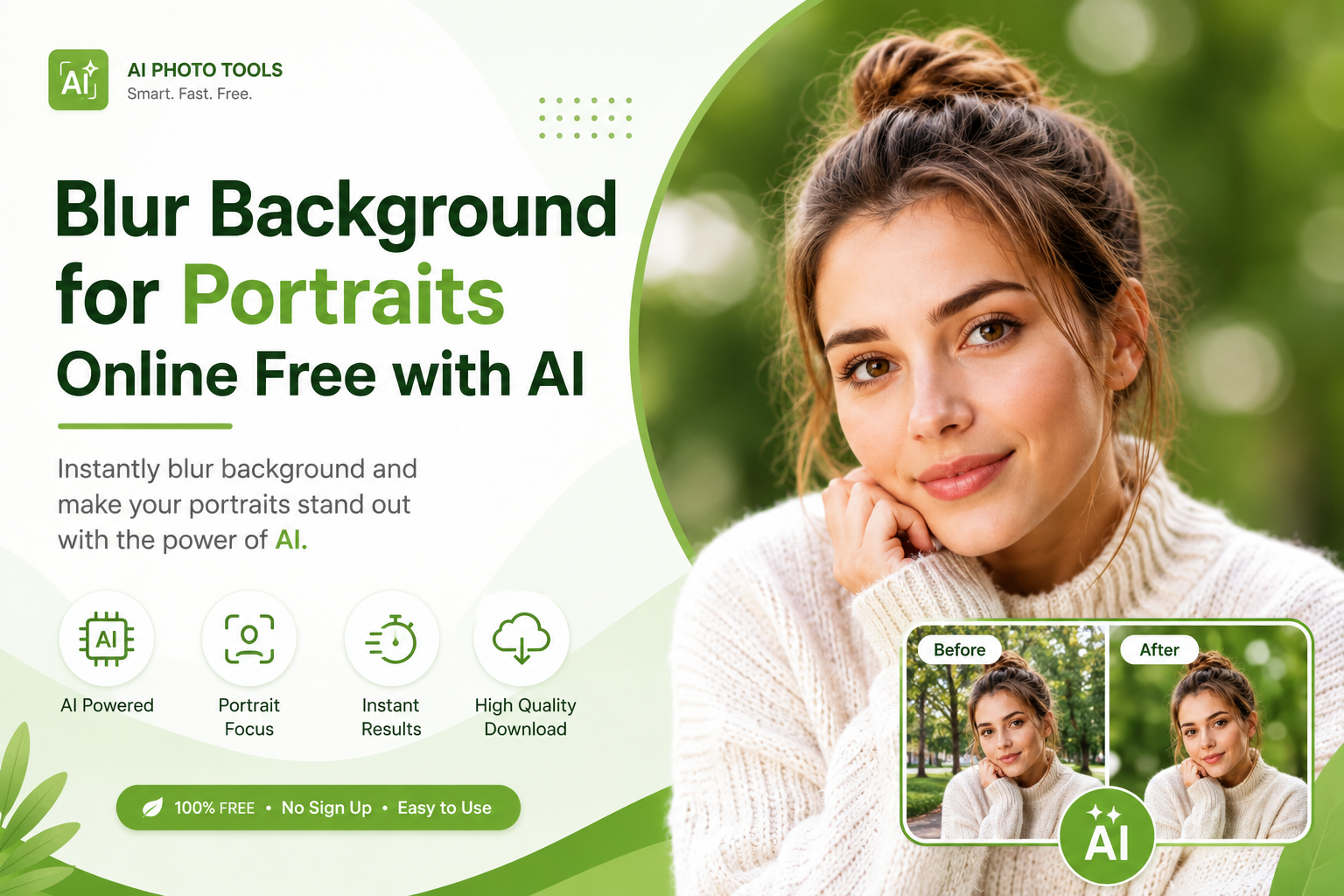
Blur Background for Portraits Online Free with AI
A distracting background can take attention away from the most important part of a portrait the person. Whether you're editing a professional headshot, LinkedIn photo, Instagram portrait, wedding picture, or everyday selfie, a soft background can make the subject stand out and give the image a more polished appearance.
The good news is that you don't need Photoshop, expensive camera equipment, or advanced editing skills to achieve this effect.
With an AI blur background tool, you can automatically detect the person in a photo, keep the subject sharp, and blur the surrounding background in seconds.
In this guide, you'll learn how to blur the background of a portrait online, how AI portrait background blur works, how to get natural-looking results, and how to use FreeBackgroundRemoverAI to create professional-looking portraits for free.
What Does Blur Background for Portraits Mean?
Blur background for portraits means softening the area behind a person while keeping the main subject clear and sharp.
Photographers often use a shallow depth of field to create this effect. The person's face remains the visual focus while objects, rooms, streets, or other distractions behind them become softer.
This effect is commonly known as background blur, portrait blur, or bokeh.
For example, imagine taking a portrait in a busy room. Furniture, walls, people, and other objects may compete with the subject. Applying background blur reduces those distractions and directs the viewer's attention toward the person.
AI makes this process much easier because you don't have to manually trace around the person's hair, face, clothing, or body.
Why Blur the Background of a Portrait?
A good portrait should have a clear visual focus. When the background is too busy, the viewer may spend more time looking at the surroundings than the person.
Blurring the background can help:
Make the subject stand out
Create a professional photography look
Reduce distracting objects
Improve the visual hierarchy of an image
Give portraits more depth
Make social media photos look more polished
Improve professional headshots
Create a soft, cinematic appearance
Make selfies look cleaner
Give casual phone photos a studio style effect
For professional profiles, in particular, a clean background can make a headshot look more intentional and polished.
How Does AI Blur a Portrait Background?
Traditional photo editing requires you to manually select the person before applying blur to the background. This can take considerable time, especially when the image contains complicated edges such as hair, fingers, clothing, or accessories.
AI background blur automates this process.
Typically, an AI portrait blur system follows several steps:
1. Detects the Main Subject
The AI analyzes the uploaded image and identifies the person or primary subject.
2. Creates a Subject Mask
The system separates the person from the surrounding environment. This mask determines which areas should remain sharp.
3. Protects the Portrait Subject
The person's face, hair, body, and clothing remain relatively sharp while the surrounding background is selected for processing.
4. Applies Background Blur
The blur effect is applied to the background rather than the entire image.
5. Produces the Final Portrait
The result combines a sharp subject with a softer background, creating a natural depth of field appearance.
The original source describes the same basic workflow as AI segmentation, subject detection, background masking, blur generation, and final export.
How to Blur Background for Portraits Online
You don't need professional editing software to create a blurred portrait background.
With FreeblurBackgroundRemoverAI, the process is designed to be simple and browser based.
Step 1: Upload Your Portrait
Open the portrait background blur tool and upload your image.
A clear photo generally produces better results because the AI has more visual information to work with.
Step 2: Let AI Detect the Subject
The AI analyzes your portrait and identifies the person in the image.
You don't need to manually draw around the subject.
Step 3: Blur the Background
Once the subject has been detected, the background can be softened while the person remains the main focus.
Step 4: Adjust the Blur
If the tool provides blur intensity controls, choose a subtle or stronger effect depending on the style you want.
For most professional portraits, a moderate blur tends to look more natural than an extremely strong effect.
Step 5: Download Your Portrait
After you're happy with the result, export the edited image and use it for your profile, website, social media, portfolio, or other projects.
You can also use the platform's AIblurbackground remover if you want to completely remove the background instead of simply blurring it.
Best Portraits to Use With AI Background Blur
AI portrait background blur can work with many different types of photos.
Professional Headshots
Blur distracting office, home, or outdoor backgrounds while keeping the face prominent.
LinkedIn Profile Photos
A soft background can help create a clean and professional-looking profile picture.
Social Media Portraits
Give Instagram, Facebook, and other social media portraits a more polished appearance.
Selfies
Turn an ordinary selfie into a more focused portrait by reducing background distractions.
Wedding Photography
Background blur can create a softer and more romantic appearance around wedding portraits.
Family Photos
If the background contains furniture, people, or other distractions, a subtle blur can help focus attention on family members.
Graduation Photos
Make the graduate the clear focal point while reducing distracting surroundings.
Fashion Portraits
Background blur can help draw attention to clothing, styling, and the model.
Dating Profile Photos
A cleaner background can make the person stand out without requiring complicated photo editing.
How to Get a Natural Portrait Background Blur
Simply adding a lot of blur doesn't automatically create a professional portrait.
The amount and quality of blur matter.
Here are some tips for better results.
Use a High-Quality Portrait
Start with the highest-quality image available. Small, heavily compressed images can make fine details harder for AI to identify.
Choose Good Lighting
Well-lit portraits generally provide clearer separation between the subject and background.
Keep the Subject Away From the Background
When the person is physically separated from the background, the final blur can look more natural.
Avoid Extreme Blur
A background that is completely unrecognizable can sometimes make the image look artificial.
A moderate blur often provides a better balance between subject clarity and background depth.
Check Hair and Fine Details
Hair strands, glasses, fingers, and clothing edges can be challenging areas in portrait editing. Always inspect the final image around these areas before using it professionally.
The source article similarly recommends high-resolution images, good lighting, clear subject separation, useful contrast, and less cluttered backgrounds for cleaner AI results.
When Should You Blur a Portrait Background?
Background blur is particularly useful when the surroundings distract from the subject.
Consider using it when:
The room behind you is messy
Other people appear in the background
There are distracting objects
You're creating a professional headshot
Your photo was taken with a phone
You want a studio-style appearance
You need a cleaner social media portrait
The background has too many colors or patterns
However, not every portrait needs heavy blur. If the location contributes important context to the photograph, a lighter blur may be a better choice.
Common Mistakes When Blurring Portrait Backgrounds
Even with AI, the quality of the original photo can affect the final result.
Using a Low-Quality Image
A heavily pixelated or compressed photo gives the AI less detail to work with.
Applying Too Much Blur
Extreme blur can make the background look unnatural and may reduce the sense of depth.
Ignoring Hair Edges
Loose hair can be difficult to separate from complicated backgrounds. Zoom into the final image and inspect the edges.
Using Poor Lighting
Very dark portraits or strong shadows can make subject detection more difficult.
Blurring the Entire Image
The goal is to keep the person sharp while softening the surroundings. An effect applied equally across the entire image will not create the same portrait depth effect.
The original guide also identifies low-quality uploads, poor lighting, multiple subjects, busy backgrounds, and excessive blur as common problems.
Blur Background for Portraits on Mobile
You don't necessarily need a desktop computer to blur a portrait.
A browser-based AI tool can work directly from a smartphone or tablet.
This is especially useful when you've just taken a selfie or portrait and want to edit it immediately.
The basic workflow is:
Open the AI portrait blur tool in your mobile browser.
Upload your portrait.
Let the AI identify the subject.
Apply the background blur.
Adjust the intensity if necessary.
Download the finished image.
This eliminates the need to install complicated photo-editing software.
Why Use FreeBackgroundRemoverAI for Portrait Background Blur?
FreeblurBackgroundRemoverAI is designed to make common AI photo editing tasks accessible without requiring advanced editing knowledge.
Its background editing workflow is useful for people who want to quickly improve portraits, product images, social media content, and other photographs.
Key advantages include:
Free access to core editing features
Browser-based editing
No complicated software installation
Fast AI processing
Simple workflow
Mobile and desktop compatibility
HD image downloads
No design experience required
The original article also highlights free access, fast processing, AI-powered detection, no signup, HD downloads, browser support, mobile compatibility, and desktop support.
If your portrait is low resolution, you can also improve it with the platform's AI image upscaler before applying background blur.
And if you need to remove the background completely rather than soften it, use the AI background remover.
Who Can Benefit From Portrait Background Blur?
Background blur isn't only useful for professional photographers.
It can help:
Job seekers
LinkedIn users
Content creators
Influencers
Bloggers
Models
Photographers
Small businesses
Ecommerce owners
Students
Real estate professionals
Marketing teams
Social media managers
Anyone who wants the subject of a portrait to stand out can benefit from a carefully applied background blur.
Frequently Asked Questions
How do I blur the background of a portrait?
Upload your portrait to an AI background blur tool, allow the AI to detect the subject, and apply blur to the surrounding background. You can then adjust the blur intensity and download the finished image.
What is the best way to blur a portrait background?
For a fast and simple workflow, an AI portrait background blur tool can automatically separate the subject from the background and apply the effect without manual masking.
Can I blur a portrait background online for free?
Yes. Browser-based AI tools such as FreeBackgroundRemoverAI can be used to blur portrait backgrounds online without installing traditional photo-editing software.
Can AI blur the background without blurring the face?
Yes. AI background blur is designed to identify the main subject and apply the blur primarily to the surrounding background, keeping important areas of the portrait sharp.
Can I blur a portrait background on my phone?
Yes. A browser-based AI tool can be accessed from many smartphones and tablets, allowing you to upload and edit portraits directly from your mobile browser.
How much should I blur a portrait background?
It depends on the image and the desired style. A moderate blur usually produces a more natural result, while very strong blur can make the image appear artificial.
Can I blur the background of a selfie?
Yes. Selfies are a common use case for portrait background blur. AI can help reduce distracting objects and make the person stand out more clearly.
Does background blur improve a professional headshot?
It can. A subtle background blur can reduce distractions and help viewers focus on the face, particularly when the original environment is busy.
Do I need Photoshop to blur a portrait background?
No. AI background blur tools can automate much of the selection and editing process, so you don't need Photoshop or advanced masking skills.
Can I completely remove a portrait background instead?
Yes. If you want transparency or a completely different background rather than a blur effect, you can use an AI background remover to separate the subject from the original background.
People Also Ask About Portrait Background Blur
How can I blur the background of a photo?
Upload the photo to an AI background blur tool, allow it to detect the main subject, apply the blur, and download the result.
How do I blur a portrait background without Photoshop?
Use a browser-based AI portrait blur tool. The AI can automatically detect the subject and blur the surrounding background without requiring manual Photoshop selections.
What app can blur the background of a picture?
There are many photo editing apps and online tools that provide background blur. AI-powered browser tools are particularly useful when you want an automated workflow without installing software.
How can I make my portrait look professional?
Start with a clear, well lit photo, keep the subject separated from the background, and use a subtle background blur to reduce distractions.
Can AI make a portrait look like it was taken with a professional camera?
AI background blur can create a shallow depth of field appearance similar to the visual effect produced by a camera with a wide aperture. The final result still depends on the original image quality, lighting, composition, and AI processing.
Quick Tips for Better Portrait Background Blur
Before downloading your final image, use this quick checklist:
Start with a high resolution portrait
Make sure the subject is well lit
Use a photo with clear subject/background separation
Avoid excessive blur
Check hair and clothing edges
Keep the face sharp
Compare the result with the original
Choose a blur level that matches the image
Download the highest-quality version available
Final Thoughts
A good portrait doesn't always need an expensive camera or complicated editing software.
With AI background blur, you can transform a distracting environment into a softer visual backdrop while keeping the person at the center of attention.
Whether you're preparing a LinkedIn headshot, selfie, wedding portrait, social media photo, graduation picture, fashion image, or professional profile photo, blurring the background can give your image a cleaner and more polished appearance.
The key is to keep the effect natural. Use a good-quality source image, pay attention to lighting and subject separation, and avoid applying more blur than the photograph needs.
Ready to create a cleaner portrait?
Try FreeblurBackgroundRemoverAI to blur your portrait background online and create a professional looking image in just a few steps.
Share this guide with your team