

01
100% AI Powered
State-of-the-art models for cutouts, upscaling, and enhancement.

FBG AI
6-in-1 AI image editing — free & instant
Loading AI tools…
Drop your image here
or click to browse · JPG, PNG, WebP · Max 15MB
Try a sample
Images processed securely · Auto-deleted within 1 hour · Privacy Policy
Start with background removal, then upscale, enhance, blur, clean watermarks, or generate a new scene.
Pick a tool. No signup. Results in seconds.
Drag any slider. Same free tools you use on this site — no staged studio samples.
 Before
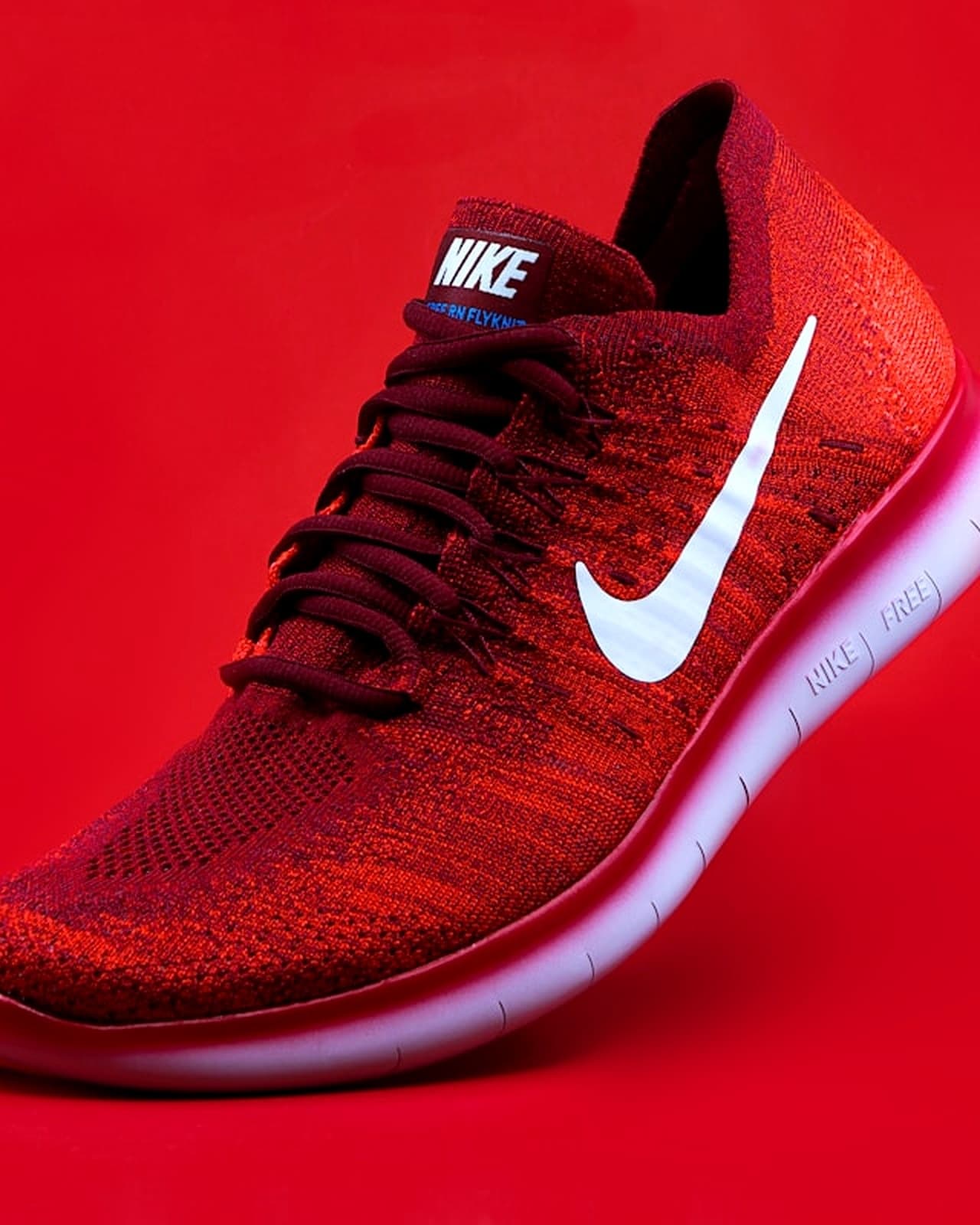 After
AfterDrag the handle left and right to compare before and after
Upload, process, refine, download — no account wall in the way.
Drag & drop JPG, PNG, or WebP. No account required to start.
Select remove BG, upscale, enhance, blur, watermark removal, or gen background.
Our models analyze edges, lighting, and detail in seconds — not minutes.
Get high-quality PNG or JPG. Files auto-delete within 1 hour for privacy.
Speed, quality, and privacy — whether you edit one photo or hundreds.
State-of-the-art models for cutouts, upscaling, and enhancement.
Use core tools without signup. No credit card required.
Uploads auto-delete within 1 hour. We don't sell your images.
Clean exports on free tier — your work stays yours.
Download high-resolution results for print and web.
Process multiple images efficiently (Pro workflows).
Fine detail preserved on hair, fur, glass, and lace.
Edit on phone, tablet, or desktop — same great experience.
Most jobs complete in under 10 seconds.
Support for JPG, PNG, and WebP input formats.
Side-by-side with typical single-purpose tools — what you keep, what they cut.
Built as a studio, not a single button.
Free access
Free core tools, no signup
Tool variety
6 tools in one platform
Data privacy
Privacy-first auto-delete
Clean exports
No output watermark
Edge quality
Hair & edge precision
Mobile UX
Mobile-optimized UI
Single-purpose tools with the usual tradeoffs.
Free access
Paid or limited free tier
Tool variety
Single-tool focus
Data privacy
Unclear data retention
Clean exports
Watermarked exports
Edge quality
Basic edge detection
Mobile UX
Desktop-only experience
By the numbers
Real usage across creators, shops, and teams shipping images daily.
Images Processed
Happy Users
Average Rating
Processing Speed
Designers, sellers, and marketers rely on FBG AI for fast, professional image edits.
Removed backgrounds for 200+ product photos in an afternoon. Quality rivals paid tools.
Pricing, privacy, formats, and commercial use — straight answers.
Yes. Core tools including background removal are free to use with fair usage limits. No credit card is required to get started.
Guide
Free Background Remover AI (FBG AI) is a free online AI image studio. Upload a JPG, PNG, or WebP, process it in the browser workflow, and download a clean result — typically a transparent PNG — without creating an account. This page explains what the AI does, when to use each tool, supported formats, privacy expectations, and realistic limitations.
Our remove image background online free tool detects the primary subject (person, product, pet, or object), refines difficult edges like hair and fur, then replaces the backdrop with transparency. You can keep the transparent PNG for design tools or place the cutout on white for marketplace listings. Processing usually completes in a few seconds on modern connections.
Searchers often need a transparent background maker for Canva, Figma, Shopify, or Amazon. A transparent PNG preserves an alpha channel so the subject sits on any color. If a marketplace requires pure white, drop the PNG onto #FFFFFF before upload. Free-tier exports from FBG AI do not add a watermark — important when comparing an AI image background remover without watermark to freemium competitors.
Need to remove background from PNG files that still show a leftover white box? Re-process them through the same tool to rebuild a cleaner alpha edge. For passport-style ID photos, see remove background from passport photo.
Upload JPG, PNG, or WebP up to 15MB. Extremely large print files should be resized first for faster uploads. Typical free background remover ai jobs finish in about two seconds after the file reaches the server; upscaling and enhancement can take longer depending on resolution and 2× vs 4× settings. If the API is offline, the UI shows a clear error with retry options.
Beyond background removal, Free Background Remover AI includes an AI image upscaler, image enhancer, background blur, AI background generator, and watermark remover (for images you own). A common ecommerce path: remove background → upscale → enhance → export.
Sellers use cutouts for Amazon and Shopify main images. Photographers deliver studio-style portraits. Designers isolate logos and signatures. Explore long-tail guides for product images, jewelry, furniture, car photos, and logos.
Uploads are processed to deliver your result, then auto-deleted within one hour. We do not sell your images. Read the privacy policy for retention details, and our privacy best practices guide before uploading sensitive documents. Prefer cropping IDs tightly when you only need a face or signature.
AI cutouts struggle with extreme motion blur, subjects blended into matching colors, or heavy compression. Busy group photos may leave fringe pixels. Retake with better lighting, crop closer to the subject, or try a different source file. Hair against similar tones may need a cleaner original. These limits are normal for free online removers — including paid tools in hard edge cases.
For step-by-step workflows, read how to remove background without Photoshop, PNG vs JPG, and ecommerce product photo tips. Visit About to learn who builds Free Background Remover AI, or Contact support if something fails.
Ready to try? Open the free background remover ai tool or browse all use-case landing pages for upscale, enhance, blur, and more — no signup required.
Guides and tips for sharper AI image editing workflows.
Stay sharp
Monthly guides, tool updates, and workflow tips. No spam — unsubscribe anytime.
Join the list
Drop your email — we'll take it from there.