How to Remove Background From Food Photos With AI
A great food photo should make people hungry. But when a distracting table kitchen counter wall plate setting or random object appears behind the food it can take attention away from the dish.
That is why restaurants food bloggers bakeries cloud kitchens food photographers and online sellers often need to remove background from food photos before using them in menus advertisements websites social media posts or product listings.
The good news is that you no longer need advanced Photoshop skills to create a clean food image. With an AI background remover you can isolate the food from its original surroundings and create a transparent PNG in just a few seconds.
In this guide you will learn exactly how to remove background from food photos why clean food images matter which types of food photos work best and how to get better results from AI background removal.
What Does It Mean to Remove Background From Food Photos?
To remove background from food photos means separating the main food subject from everything surrounding it.
For example imagine a photograph of a burger sitting on a wooden table. The burger is the subject while the table plate utensils kitchen and other objects are part of the background.
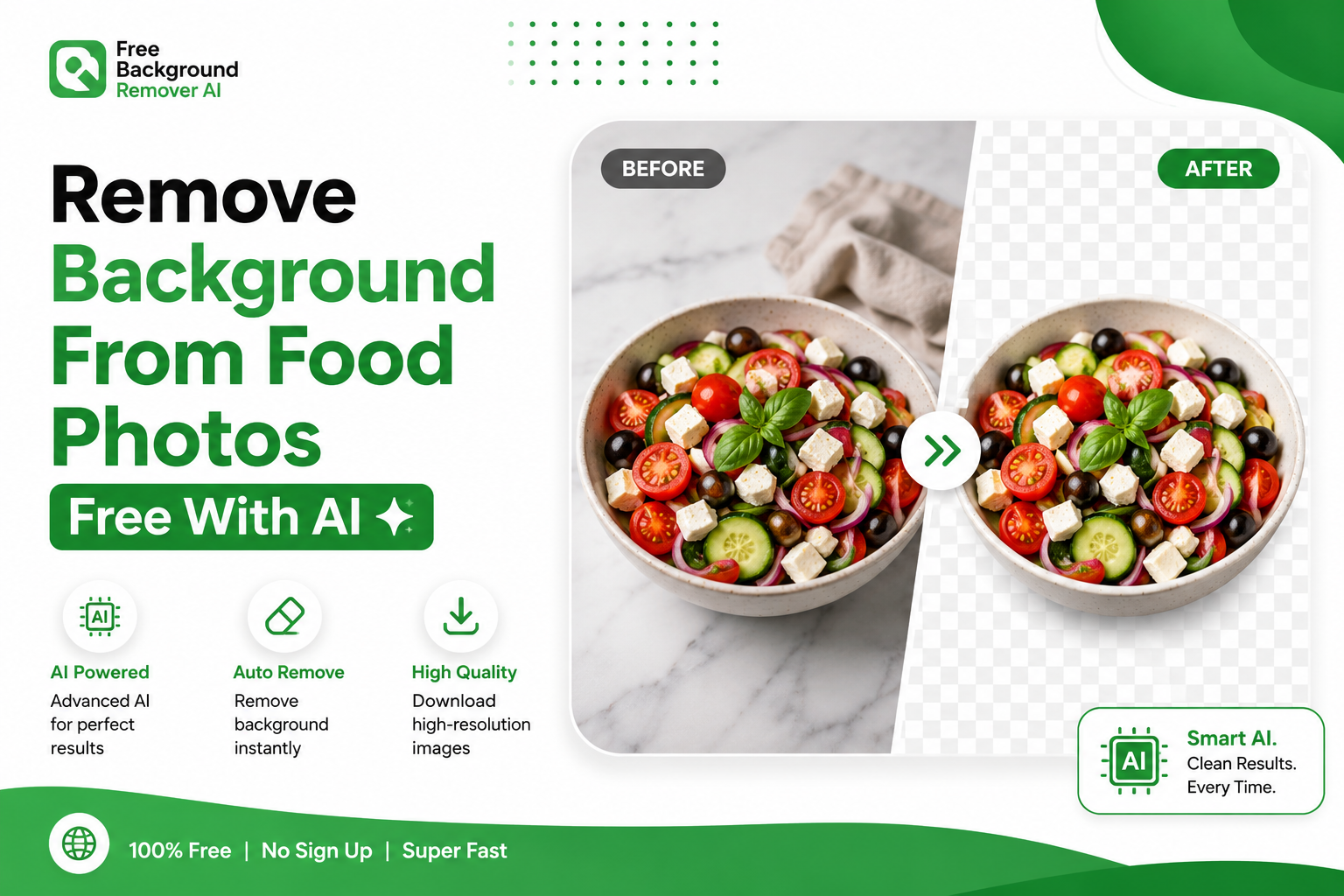
After background removal only the burger remains and the surrounding area becomes transparent.
The result is normally saved as a PNG image with a transparent background. You can then place that food image on almost any background without having to cut it out manually again.
This is particularly useful when you want to
Create professional restaurant menus
Design food advertisements
Build Shopify product listings
Create social media graphics
Design packaging
Create recipe graphics
Make food delivery listings
Build promotional banners
Create thumbnails and marketing materials
For simple images background removal can be straightforward. Food photography can be more difficult because dishes often contain small and complicated details such as herbs crumbs sauces cheese frosting steam and irregular edges.
That is where AI can make the process much easier.
Why Should You Remove Background From Food Photos?
Background removal is not simply about making an image look cleaner. It gives businesses and creators more control over how their food images are presented.
1. Make Food Stand Out
A busy background competes with the food for attention.
Removing unnecessary objects puts the focus directly on the dish. This can make burgers cakes pizzas desserts drinks and other food products easier to see.
2. Create Consistent Product Images
Restaurants and online food sellers often have dozens or hundreds of images.
If every photograph has a different table wall lighting setup and background the overall catalog can look inconsistent.
A transparent food image allows you to place different dishes on the same background and create a more professional visual identity.
3. Improve Menu Design
Transparent food images are particularly useful for restaurant menus.
You can place an isolated dish next to its name price, description or promotional offer without having the original photograph interfere with the design.
4. Create Better Social Media Content
Food businesses depend heavily on visual content.
An isolated food image can be combined with
Promotional text
Brand colors
Seasonal backgrounds
Discounts
Restaurant branding
New menu announcements
Special offers
This makes one food photograph useful for multiple marketing campaigns.
5. Make eCommerce Images Cleaner
Online stores need product images that are easy to understand.
If you sell packaged food desserts ingredients kitchen products or other food related products removing the background can help create cleaner product photography for platforms such as Shopify and other marketplaces.
How to Remove Background From Food Photos With AI
The easiest approach for most users is to use an online AI background removal tool.
With Free Background Remover AI, you can upload an image and let the AI automatically identify the main subject.
Step 1 Open the Background Remover
Start by opening the Free Background Remover AI tool.
The tool works directly in your browser so you do not need to install Photoshop or another desktop application.
Step 2 Upload Your Food Photo
Upload the food photograph you want to edit.
A JPG or PNG image can be used as the starting image.
For the best result choose a photograph where the food is reasonably sharp and clearly visible.
Step 3 Let AI Detect the Food
After uploading the image the AI analyzes the photograph and identifies the main subject.
Instead of manually drawing around the food the system automatically separates the foreground from the background.
Step 4 Review the Result
Check the resulting image carefully.
Pay particular attention to
Food edges
Garnishes
Sauces
Crumbs
Frosting
Cheese
Plate edges
Small decorative details
A quick review helps you make sure the important parts of the food have been preserved.
Step 5 Download the Transparent PNG
Once the background has been removed download the resulting transparent image.
You can then use it in menus advertisements product listings social media designs websites packaging and other creative projects.
The entire process can be considerably faster than manually cutting around the food in an image editor.
What Types of Food Photos Can You Edit?
AI background removal can be useful for many different types of food photography.
Restaurant Food
You can remove backgrounds from photographs of:
Burgers
Pizza
Pasta
Rice dishes
Sandwiches
Salads
Steak
Seafood
Curries
Breakfast dishes
Bakery and Dessert Photos
Background removal is also useful for
Cakes
Cupcakes
Cookies
Donuts
Pastries
Brownies
Cheesecakes
Macarons
Chocolates
Drinks
You can create isolated images of
Coffee
Smoothies
Milkshakes
Juices
Mocktails
Soft drinks
Tea
Ingredients
Food bloggers and recipe creators can also isolate individual ingredients such as
Fruits
Vegetables
Herbs
Spices
Meat
Cheese
Nuts
Grains
This can be particularly useful for recipe graphics and educational content.
How AI Background Removal Handles Difficult Food Details
Food photography can contain details that make traditional background removal difficult.
A cake may have small decorations. A burger can contain loose lettuce and sesame seeds. A plate of pasta may have individual herbs and strands of cheese.
AI-based background removal is designed to identify the visual difference between the main subject and its surroundings rather than simply selecting one color.
However the quality of the original photograph still matters.
A sharp well lit photograph generally gives an image processing system a better starting point than a dark blurry or extremely compressed image.
Tips for Better Food Background Removal Results
If you want the cleanest possible result start with a good photograph.
Use Good Lighting
Natural or soft lighting can help reveal the edges and texture of the food.
Avoid extremely dark photographs where important parts of the dish disappear into shadows.
Keep the Food in Focus
A blurry subject is difficult to recover.
Make sure the main food item is sharp before removing its background.
Shoot at a Higher Resolution
Higher resolution photographs provide more detail around the edges of the subject.
This is especially useful for food containing small decorative elements.
Avoid Excessive Filters
Heavy filters can change the colors and edges of the food.
It is usually better to begin with a clean natural photograph.
Keep the Main Subject Clearly Visible
Try not to photograph food behind large objects hands utensils or other items that overlap the main subject.
The clearer the subject is the easier it is to produce a clean result.
Remove Background From Food Photos for Restaurant Menus
Restaurant menus are one of the most practical applications of background removal.
Instead of placing the original photograph with a table and restaurant environment around every dish you can isolate the food and create a consistent menu design.
For example a restaurant could use the same brand colored background behind
Chicken burgers
Pizza
Pasta
Desserts
Drinks
Main courses
This creates a more organized visual presentation while keeping the focus on the food.
Remove Background From Food Photos for Shopify
Online food businesses also need consistent product photography.
If you manage a Shopify store transparent food images can be used in product cards promotional sections landing pages banners and advertisements.
Instead of recreating a new photograph every time you change your website design you can use an isolated food image and place it over a different background.
This gives you greater flexibility when updating your store.
Remove Background From Food Photos for Social Media
Social media content moves quickly.
A restaurant may need new posts for
Weekend promotions
New menu items
Limited-time offers
Discounts
Seasonal products
Holiday campaigns
New desserts
Special drinks
A background free food image can be reused across multiple designs.
For example you could take one isolated cake image and create separate graphics for Instagram Facebook Pinterest a website banner and an online advertisement.
Remove Background From Food Photos for Food Blogs
Food bloggers can also benefit from background removal.
A recipe article might contain several images showing individual ingredients. Removing distracting backgrounds can make those images easier to place into recipe cards ingredient guides comparison graphics and featured images.
For recipe creators publishing frequently reducing repetitive image editing work can save significant time.
AI Background Removal vs Manual Photoshop Editing
Traditional editing software remains powerful but it can require considerably more time and technical knowledge.
With manual editing you may need to:
Open the photograph
Select the food
Refine the edges
Create a mask
Remove unwanted areas
Correct small imperfections
Export the image as PNG
For one image that may be manageable
For dozens or hundreds of food photographs however the workload can become significant.
An AI background remover simplifies the process by automating the initial subject selection stage.
AI Background Removal
Faster workflow
Beginner friendly
Browser based
No manual tracing
Useful for large numbers of images
Easy to export transparent images
Manual Editing
More control over individual pixels
Useful for complex professional compositing
Requires editing experience
Usually takes longer
Can require paid software
For users who simply need a clean food image quickly AI can be a much more convenient starting point.
Common Mistakes When Removing Food Photo Backgrounds
Even with AI the original photograph can affect the final result.
Avoid these common mistakes.
Using Very Low-Quality Photos
A small heavily compressed image may produce less detail around the subject.
Photographing in Extremely Dark Conditions
Deep shadows can make food and background difficult to distinguish.
Choosing a Completely Blurry Image
Background removal cannot turn a severely out of focus photograph into a high quality product image.
Ignoring Fine Details
Always check garnishes sauces crumbs frosting herbs and other small elements after processing.
Using an Unnecessary Background
Once you have a transparent food image, do not automatically add another complicated background.
Sometimes a simple solid color produces a much more professional result.
Who Should Remove Background From Food Photos?
Background removal can benefit almost anyone who regularly creates food related visual content.
Restaurants
Create consistent menu and promotional images.
Bakeries
Show cakes, pastries, cookies, and desserts without distracting surroundings.
Food Bloggers
Create cleaner recipe graphics and ingredient images.
Cloud Kitchens
Create product focused food listings even when the original photographs were taken in a simple environment.
Food Delivery Businesses
Maintain a consistent appearance across food listings.
Food Influencers
Create branded social media graphics more quickly.
eCommerce Sellers
Produce cleaner product photography for online stores and marketplaces.
Food Manufacturers
Use isolated product images in catalogs advertisements packaging concepts and promotional materials.
Why Use Free Background Remover AI?
Free Background Remover AI is designed to make background removal accessible without requiring advanced graphic design skills.
Instead of learning complicated selection tools, users can upload an image and let the AI handle the initial background removal process.
The tool is particularly useful when you need to process food photographs quickly for websites menus social media or eCommerce.
You can remove the background from your food photo online and create a transparent image without installing traditional image editing software.
Frequently Asked Questions
How can I remove the background from food photos for free?
Upload your food image to an online AI background remover such as Free Background Remover AI. The AI processes the image and removes the surrounding background allowing you to download the result as a transparent image.
Can AI remove the background from food photos?
Yes AI background removal can automatically identify the main subject in many food photographs and separate it from the surrounding background. Results can vary depending on image quality lighting and subject complexity.
How do I remove the background from a food image without Photoshop?
You can use a browser based AI background remover instead of Photoshop .Upload your image allow the AI to process it review the result and download the transparent image.
Can I make a transparent PNG from a food photo?
Yes Background removal can create a transparent PNG by removing the surrounding background while keeping the food subject.
Can I remove the background from cake photos?
Yes Cake and dessert photographs can be processed with AI background removal For the best results use a sharp well lit image where the cake is clearly separated from the surrounding objects.
Can I use background-free food images for Shopify?
Yes Transparent food images can be useful for Shopify product pages banners promotional graphics and other store designs.
Can restaurants use transparent food images?
Absolutely Restaurants can use background free images for menus websites social media posts advertisements digital menu boards, and promotional materials.
Is AI background removal better than manually editing every image?
For speed and convenience AI can be much more efficient than manually tracing every food item. Manual editing can still be preferable when extremely precise pixel evel control is required.
Does the original image quality matter?
Yes A sharp well lit high resolution photograph generally gives you a better starting point than a blurry dark or heavily compressed image.
How quickly can I remove a food photo background?
An AI tool can process many images in seconds depending on the image and the service. This is significantly faster than manually tracing complex food edges in many cases.
Final Thoughts
If you regularly create food content, learning how to remove background from food photos can make your entire visual workflow easier.
A clean isolated food image gives you more flexibility. You can place the dish on a branded background use it in a restaurant menu create a Shopify product image design a social media post or build a promotional advertisement without having to recreate the original photograph.
The key is to start with a sharp well lit image and use an appropriate background removal workflow.
Instead of spending time manually tracing every edge you can try an AI powered approach and create a transparent food image directly in your browser.
Ready to clean up your next food photograph?
Remove the background from your food photo with Free Background Remover AI and turn your image into a clean transparent asset for your next design.
Share this guide with your team