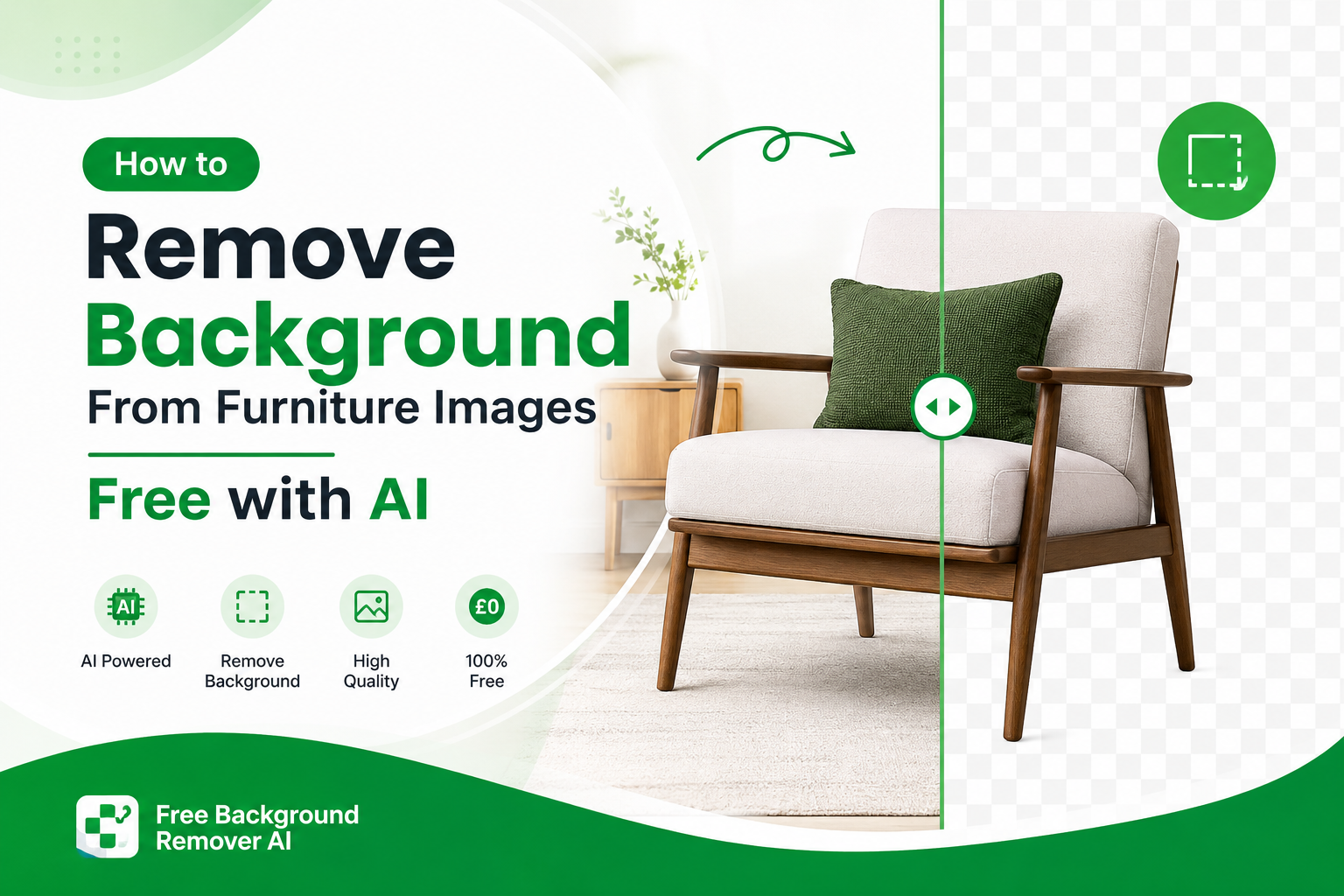
How to Remove Background From Furniture Images Free AI Guide
If you sell sofas, chairs, tables, beds, cabinets, or other home furniture online, professional product photography can make a major difference. But you don't always need a studio, expensive editing software, or advanced Photoshop skills to create clean product images.
With an AI furniture background remover, you can remove background from furniture images in seconds and create clean, professional-looking product photos for your website, Shopify store, Amazon listings, Etsy shop, social media, and online marketplaces.
A sofa photographed inside a busy living room may look fine in person, but online, surrounding furniture, walls, rugs, lamps, people, and other objects can distract shoppers from the actual product. Removing the background puts the furniture at the center of attention.
The good news is that AI makes this process much easier. Instead of manually drawing around sofa cushions, chair legs, table edges, or cabinet corners, an AI background remover can automatically detect the furniture, separate it from the surrounding scene, refine the edges, and create a transparent image.
In this guide, you'll learn how to remove background from furniture images, why clean furniture photography matters for ecommerce, which image formats to use, how to get better results, and how to create marketplace-ready furniture images for free.
What Is a Furniture Background Remover?
A furniture background remover is an online image editing tool that uses AI to separate furniture from its original background.
For example, you can upload a photo of:
A sofa in a living room
A dining table in a showroom
A wooden chair against a wall
A bed inside a bedroom
A wardrobe or cabinet
Outdoor patio furniture
Office desks and chairs
Handmade furniture
Antique or vintage furniture
The AI analyzes the image and identifies the main subject. It then removes the surrounding background while keeping the furniture itself.
The result can be a transparent PNG, allowing you to place the furniture over a white background, colored background, lifestyle scene, website banner, advertisement, or product template.
For furniture sellers with large catalogs, this can turn a time-consuming editing task into a much faster workflow.
Why Remove Background From Furniture Images?
Furniture is a visual product. Customers want to see its shape, material, color, design, and proportions before deciding whether to buy.
A cluttered background can make those details harder to see.
When you remove the background from a furniture photo, you create a cleaner product presentation that can be reused across different marketing channels.
1. Make the Furniture the Main Focus
A clean image removes unnecessary visual distractions.
Instead of shoppers looking at the room, floor, curtains, decorations, or other furniture, their attention stays on the sofa, chair, table, bed, or other product you're selling.
2. Create Professional Product Photography
You don't need every product to be photographed in a professional studio.
AI background removal can help standardize photos taken in showrooms, warehouses, homes, or simple photography setups.
This is especially useful for small furniture businesses that don't have a large photography budget.
3. Build a Consistent Product Catalog
Imagine a furniture store with 100 products.
If every product has a different room, wall, floor, lighting setup, and background, the website can look inconsistent.
Removing backgrounds allows you to place products onto a consistent background and create a more organized catalog.
4. Reuse Furniture Images Everywhere
Once you have a transparent furniture PNG, you can use the same image in multiple places.
For example:
Shopify product pages
Amazon listings
Etsy product pages
Furniture marketplaces
Instagram posts
Facebook ads
Website banners
Promotional graphics
Catalogs
Email campaigns
Digital advertisements
This saves time because you don't need to photograph the same product again for every marketing campaign.
5. Improve Product Presentation
A clean furniture image can make even a simple product photo look more polished.
For ecommerce, the product image is often one of the first things a shopper notices. Google also recommends using high-quality, relevant images and descriptive image information to help search engines understand images.
Why Background Removal Is Especially Important for Furniture Sellers
Furniture is different from many small ecommerce products.
A chair may have thin legs. A sofa may have curved arms and cushions. A glass table can have transparent areas and reflections. A wooden cabinet may have detailed edges and handles.
These characteristics can make manual background removal slow.
AI can help automate much of this process.
For furniture sellers, the biggest advantages are:
Cleaner product images
Less visual clutter
More consistent catalogs
Faster image preparation
Easier advertising design
More flexible product photography
Better presentation across ecommerce channels
The goal isn't simply to make an image look attractive. The goal is to make the product easier for potential customers to understand.
Furniture Types You Can Edit With AI
An AI background remover can be useful for almost any type of furniture.
Sofas and Sectionals
Sofas are frequently photographed in living rooms. Removing the surrounding room allows the sofa's shape, fabric, color, and design to stand out.
You can remove backgrounds from:
Sectional sofas
L-shaped sofas
Recliner sofas
Loveseats
Sleeper sofas
Modular sofas
Armchairs
Chairs
Dining chairs, office chairs, accent chairs, lounge chairs, and wooden chairs can all benefit from background removal.
Thin chair legs can sometimes be challenging, so always inspect the edges after processing.
Tables
AI background removal can be used for:
Dining tables
Coffee tables
Side tables
Console tables
Office desks
Bedside tables
Beds and Bedroom Furniture
You can also remove backgrounds from:
Beds
Headboards
Bedside cabinets
Dressers
Wardrobes
Bedroom benches
Outdoor Furniture
Patio and garden furniture can also be edited, including:
Outdoor sofas
Garden chairs
Patio tables
Sun loungers
Outdoor dining sets
Common Problems With Furniture Product Photos
Before removing a background, it's useful to understand why furniture images often look unprofessional online.
Busy Room Backgrounds
Furniture is frequently photographed inside homes or showrooms.
The background may contain:
Other sofas
Chairs
Rugs
Curtains
Lamps
Plants
Shelves
Decorations
People
Pets
All of these elements can compete with the product.
Poor Lighting
Dark rooms and uneven lighting can make furniture look different from its actual color.
Try to use evenly lit source photos whenever possible.
Strong Shadows
Large furniture can create strong shadows on floors and walls. While AI can remove the background, heavy shadows may sometimes require additional editing.
Low-Resolution Photos
A background remover cannot completely fix an extremely blurry or pixelated photograph.
Start with the highest-quality original image available.
Furniture Legs and Thin Edges
Chair legs, table legs, handles, and narrow furniture details can be difficult to separate from complicated backgrounds.
Always zoom in and inspect these areas after processing.
How AI Background Removal Works
You don't need to understand artificial intelligence to use an AI background remover, but understanding the basic process explains why it is so useful.
Step 1: Image Analysis
The AI analyzes the uploaded photograph and identifies objects, shapes, edges, colors, and visual patterns.
Step 2: Furniture Detection
The system determines which part of the image represents the primary furniture product.
For example, it may identify a sofa while recognizing that the wall, carpet, curtains, and other objects belong to the background.
Step 3: Subject Segmentation
The AI creates a separation between the furniture and the surrounding pixels.
This is particularly important around:
Sofa arms
Chair legs
Table edges
Cabinet handles
Curved surfaces
Furniture corners
Step 4: Edge Refinement
The edges are refined to produce a cleaner cutout.
This helps the final furniture image look more natural instead of appearing like it was roughly cropped.
Step 5: Transparent Background
The original background is removed and replaced with transparency.
The final result can then be downloaded as a transparent PNG and used in other designs.
How to Remove Background From Furniture Images Online
You can remove a furniture background without installing complicated editing software.
Step 1: Upload Your Furniture Photo
Go to Free Background Remover AI and upload your sofa, chair, table, bed, cabinet, or other furniture image.
Step 2: Let the AI Detect the Furniture
The AI automatically analyzes the photograph and identifies the furniture.
You don't need to manually draw around the product.
Step 3: Remove the Background
The AI processes the image and separates the furniture from the surrounding room or environment.
Step 4: Check the Result
Before downloading, inspect important areas such as:
Furniture legs
Curved edges
Armrests
Handles
Table corners
Cushion edges
Glass surfaces
Step 5: Download the Furniture PNG
Once you're satisfied with the result, download the transparent image and use it in your ecommerce store, advertisement, social media post, or design.
You can also go directly to the Remove Background tool.
Best Image Format for Furniture Product Photos
Choosing the correct format depends on how you intend to use the final image.
PNG
PNG is usually the best choice when you need a transparent background.
For example, a transparent sofa PNG can be placed over:
White backgrounds
Brand colors
Lifestyle scenes
Website banners
Promotional graphics
JPG or JPEG
JPG is useful when the final image already has a solid background.
It generally produces smaller files than PNG, making it useful for many website applications.
WebP
WebP can provide strong image compression while maintaining good visual quality.
For ecommerce websites, properly optimized WebP images can help reduce page weight and improve loading performance.
Google recommends balancing image quality with page performance because large images can contribute significantly to page size.
Transparent PNG vs White Background for Furniture
Both formats have their place.
Choose Transparent PNG When:
You need to reuse the furniture image
You want to change backgrounds later
You're creating advertisements
You're designing banners
You need product cutouts
You want flexibility across different designs
Choose White Background When:
You need a simple ecommerce product image
You're creating a catalog
Your marketplace requires or recommends a plain background
You don't need to place the product over another design
The best workflow is often to keep the original transparent PNG and create additional versions with white or branded backgrounds when needed.
How to Create Better Furniture Images Before Removing the Background
AI works best when the source image is already reasonably clear.
Use these photography tips before uploading your image.
Use Good Lighting
Natural or evenly distributed lighting can help preserve the furniture's real colors and details.
Capture the Entire Product
Don't crop off chair legs, table edges, sofa corners, or other important parts of the product.
Use a High-Resolution Original
Start with the highest quality image available.
A larger, sharper source image gives you more useful detail around the product edges.
Avoid Extreme Blur
Motion blur and heavy focus problems can make furniture edges difficult to detect.
Keep the Product Separate
If possible, avoid placing furniture directly against objects with similar colors.
A black chair against a dark background, for example, can be more difficult to separate than a black chair photographed against a lighter background.
How Furniture Sellers Can Use Background-Removed Images
Once you have a transparent furniture image, you can create multiple types of marketing content.
Shopify Furniture Stores
Clean product cutouts can make Shopify product pages more consistent.
You can also reuse the images for homepage banners, collection pages, promotional graphics, and social media.
Amazon Furniture Listings
Product image requirements vary by marketplace and product category, so always check the latest marketplace requirements before publishing.
For Google Merchant Center, product images should accurately represent the product, be crawlable, and follow image-quality requirements. Google currently states that a minimum 500 × 500 pixel requirement for product images is scheduled for enforcement beginning January 31, 2027.
Etsy Furniture Shops
Handmade furniture sellers can use transparent product images to create consistent listing graphics while still showing the unique characteristics of their products.
Social Media Advertising
A transparent furniture PNG can be placed over promotional backgrounds for:
Instagram ads
Facebook ads
Pinterest graphics
Promotional posts
Seasonal campaigns
Furniture Catalogs
If you sell hundreds of furniture products, consistent product cutouts can make a digital or printed catalog look considerably more organized.
Benefits of Using an AI Furniture Background Remover
Save Editing Time
Manual background removal can take considerable time, especially when furniture contains complicated edges.
AI automates much of the process.
Reduce Software Costs
You don't necessarily need expensive professional editing software for simple background removal.
Create Consistent Images
You can standardize the appearance of products throughout your catalog.
Reuse Existing Photography
Instead of organizing a new photoshoot every time you need a different background, you can work with existing product photographs.
Improve Workflow Efficiency
For stores with many products, processing images one by one with an automated tool can significantly simplify catalog preparation.
Tips for Getting the Cleanest Furniture Cutout
For the best possible results, follow these recommendations:
Start with a sharp, high-resolution photo.
Make sure the entire furniture product is visible.
Use even lighting.
Avoid extreme shadows.
Avoid heavily cluttered backgrounds when possible.
Check thin chair and table legs carefully.
Inspect curved sofa edges.
Zoom in around handles and small details.
Keep the original image as a backup.
Export the final version in the format required by your platform.
Why Choose Free Background Remover AI?
If you need a simple way to remove backgrounds from furniture photos, Free Background Remover AI provides a browser-based workflow designed to make background removal accessible without complicated editing software.
Free to Use
You can remove image backgrounds without committing to expensive editing software.
AI Powered
The system automatically detects the subject and removes the surrounding background.
Browser Based
You can use the tool online without installing a desktop application.
Beginner Friendly
You don't need professional photo-editing experience.
Fast Workflow
Instead of manually tracing furniture, you can upload the image and let the AI handle the initial background removal.
Useful for Ecommerce
The resulting furniture cutouts can be used for product pages, catalogs, social media graphics, advertisements, and other marketing materials.
Try the background removal tool or visit the Free Background Remover AI homepage.
Furniture Background Removal for Ecommerce SEO
High-quality product images aren't only useful for shoppers. They can also support visibility across Google's visual search experiences.
Google recommends using standard HTML image elements, descriptive filenames, useful alt text, responsive images, and relevant surrounding content to help Google understand and index images.
For a furniture store, instead of naming an image:
IMG_8392.jpg
use a descriptive filename such as:
modern-grey-sofa-transparent-background.webp
Likewise, instead of generic alt text such as:
furniture image
use something descriptive and accurate, such as:
modern grey sectional sofa with background removed
Don't stuff keywords into image alt text. The description should accurately explain what the image shows.
This gives search engines useful contextual information while also improving accessibility.
Internal Linking for Furniture Background Removal
Internal links can help visitors discover your other image-editing tools while helping search engines understand the relationship between relevant pages.
For example, from this article, users can naturally move from the furniture-specific background removal guide to your main background removal tool.
Keep your internal links descriptive and relevant rather than adding large numbers of unrelated links.
Google recommends using consistent URLs in internal links and other site signals so that Google can better understand your website structure.
Frequently Asked Questions
How do I remove the background from furniture images?
Upload your furniture photo to an AI background remover. The AI detects the furniture, separates it from the surrounding background, and creates a clean cutout that can usually be downloaded as a transparent image.
What is the best way to remove a background from a sofa photo?
An AI background remover is one of the easiest options for sofa photos because it can automatically detect large curved surfaces such as sofa arms, cushions, and upholstery.
Can AI remove the background from a chair?
Yes. AI background removal can be used for dining chairs, office chairs, accent chairs, wooden chairs, and many other furniture types.
Can I remove the background from a table photo?
Yes. AI can remove backgrounds from dining tables, coffee tables, desks, console tables, and other table products.
Can I make a furniture photo transparent?
Yes. After background removal, the furniture can be exported as a transparent PNG, allowing you to place it on different backgrounds.
Is PNG good for furniture product images?
PNG is particularly useful when transparency is required. If you don't need transparency, JPG or WebP may be more suitable depending on your platform and performance requirements.
Can I use background-removed furniture images on Shopify?
Yes. You can use clean furniture images on Shopify product pages, collection pages, banners, advertisements, and other store content.
Can I use the images for Amazon furniture listings?
You can use background-removed product images for ecommerce listings, but always check Amazon's current image requirements for your specific marketplace and product category before publishing.
Does AI work with wooden furniture?
Yes. Wooden furniture such as tables, chairs, cabinets, desks, and wardrobes can be processed using AI background removal.
Can AI remove the background from glass furniture?
Yes, although transparent and reflective materials can be more challenging. Always inspect glass edges carefully after processing.
Can I remove a white background from furniture?
Yes. If your furniture is photographed against a white background, an AI editing workflow can help create a cleaner cutout or transparent version.
Does background removal reduce image quality?
The final result depends partly on the quality and resolution of the original photograph. For the best results, start with a sharp, high-resolution source image.
Can I use furniture cutouts for social media?
Yes. Transparent furniture images can be placed into Instagram posts, Facebook ads, promotional banners, and other social media designs.
Can I remove the background from outdoor furniture?
Yes. Outdoor sofas, patio chairs, garden tables, sun loungers, and other outdoor furniture can be processed with AI background removal.
Do I need Photoshop to remove a furniture background?
No. An online AI background remover can handle the basic background-removal process without requiring Photoshop or advanced editing skills.
Is Free Background Remover AI free?
Yes. Free Background Remover AI provides a free online background-removal workflow.
Do I need to install software?
No. You can use the browser-based tool online.
Do I need an account?
No account is required to start removing backgrounds with the tool.
Final Thoughts
Professional furniture photography doesn't have to mean expensive equipment, complicated software, or hours of manual editing.
With AI, you can remove background from furniture images quickly and turn ordinary room photographs into clean product cutouts suitable for ecommerce, catalogs, websites, advertisements, and social media.
The best results start with a clear, well-lit, high-resolution photograph. After removing the background, check important edges such as sofa cushions, chair legs, table corners, handles, and glass surfaces before using the final image.
If you're ready to create a clean furniture product image, try Free Background Remover AI and remove the background online in just a few steps.
Share this guide with your team