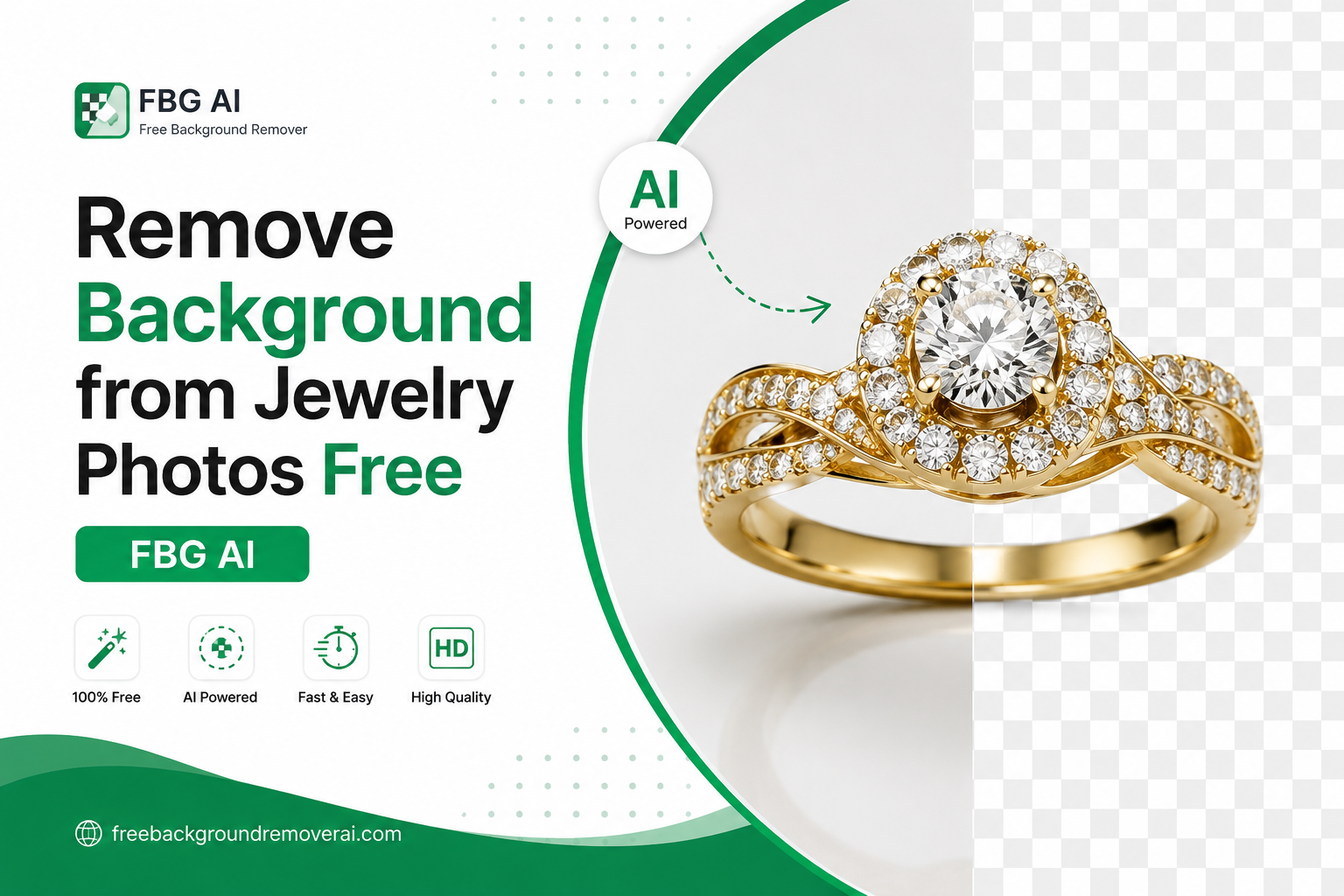
Remove Background from Jewelry Photos Free With AI
Jewelry photography is all about detail. A tiny reflection, distracting surface, messy room, or uneven background can take attention away from the ring, necklace, bracelet, earrings, or watch you are trying to sell.
That's why removing the background from jewelry photos is such a useful part of modern product photography.
With an AI background remover, you can isolate jewelry from its original background and create a clean cutout without spending hours manually tracing every edge. For online stores, marketplaces, catalogs, social media, and advertising, a clean jewelry image can make the product much easier to see and compare.
If you want a simple way to remove a jewelry photo background, you can use the Free Background Remover AI jewelry tool. The tool is designed specifically for jewelry such as rings, necklaces, and watches, and produces transparent PNG cutouts.
Why Remove the Background From Jewelry Photos?
Jewelry is often photographed on tables, display stands, fabric, boxes, or other surfaces. These backgrounds can work for lifestyle photography, but they can also become distracting when you need a clean product image.
A background-free jewelry image gives you more control over the final design.
For example, you can:
Create clean product listings
Place jewelry on a white background
Create transparent PNG product images
Prepare images for catalogs
Design social media graphics
Create advertising creatives
Standardize product photos across your store
Build lifestyle images with a new background
Highlight small details such as stones, clasps, and chains
The jewelry tool on FBG AI is built around this workflow: upload, process, and export. It supports JPG, PNG, and WEBP images up to 15 MB, with no signup and no watermark.
What Makes Jewelry Background Removal Different?
Removing the background from a simple object can be relatively easy. Jewelry can be more challenging because it contains extremely fine details.
A necklace may have a thin chain. A ring may have small prongs around a gemstone. Earrings can contain tiny hooks and openings. Watches contain hands, straps, metal edges, glass, and reflections.
A good jewelry background remover therefore needs to do more than simply detect a large object.
It needs to identify the product while preserving important edges and details.
FBG AI's jewelry tool uses AI subject detection and edge processing to isolate the jewelry, with transparent PNG export for reuse in other designs.
How to Remove a Background From Jewelry in Seconds
The process is straightforward.
1. Prepare your jewelry photo
Start with the clearest product photo you have.
Good lighting makes the jewelry easier to see and gives the AI a clearer separation between the product and its surroundings.
For best results:
Use good lighting
Avoid extreme blur
Keep the jewelry clearly visible
Avoid covering important parts of the product
Leave some space around the jewelry
2. Upload the image
Open the Remove Background From Jewelry tool and upload your photo.
The tool accepts JPG, PNG, and WEBP files.
3. Let AI detect the jewelry
The AI identifies the main subject and separates it from the surrounding background.
This is particularly useful for product photos where you want the jewelry to become the visual focus.
4. Check the fine details
Don't immediately publish the result.
Zoom into areas such as:
Necklace chains
Ring prongs
Earring hooks
Watch straps
Gemstone edges
Clasps
Small gaps inside jewelry
Fine details deserve a quick quality check before the image is used commercially.
5. Export the transparent image
Once you're happy with the result, export the transparent PNG.
A transparent PNG is useful because you can place the same jewelry cutout onto different backgrounds without removing the original background again.
How to Get Better Results When Removing Jewelry Backgrounds
The quality of the original photograph matters.
Use simple lighting
Strong reflections can sometimes make jewelry difficult to separate from its surroundings. The jewelry tool notes that strong room reflections may be interpreted as background, while softer product reflections can remain with the jewelry.
Try to use controlled lighting instead of shooting beside highly reflective windows or cluttered surfaces.
Keep enough space around the product
If the jewelry is touching the edge of the photograph, the AI has less visual information to work with.
Leave a little padding around the item whenever possible.
Use sharp product photography
Macro jewelry photography can reveal tiny details that are important to buyers.
A sharper source image gives you a better starting point than a heavily compressed or blurry photo.
Review transparent areas
Jewelry can contain gaps between chains, stones, rings, and decorative elements.
Always zoom in after background removal and make sure important parts haven't been accidentally removed.
Transparent Jewelry Images vs White Backgrounds
Both options have useful applications.
Transparent PNG
A transparent jewelry image is ideal when you want maximum flexibility.
You can place the product over:
Website layouts
Brand-colored backgrounds
Social media designs
Promotional banners
Catalog templates
Advertising graphics
Lifestyle scenes
White background
A white background provides a clean, traditional product photography style.
It can work particularly well for:
E-commerce product pages
Catalogs
Product comparison pages
Marketplace listings
Jewelry collections
The jewelry tool specifically recommends pure white when a marketplace requires it, while also supporting soft gray, black, and brand-colored backgrounds for other uses.
Jewelry Background Removal for E-Commerce
For jewelry stores, consistency matters.
Imagine a product catalog containing 200 rings. If every ring has a different background, lighting style, and amount of empty space, the store can look inconsistent.
A standardized background-removal workflow can help create a more cohesive catalog.
For each product, you can aim for:
Similar image dimensions
Consistent product positioning
Similar lighting
Consistent background treatment
Clear product details
Optimized image file sizes
This makes it easier for shoppers to compare products.
Jewelry Background Removal for Amazon, Etsy, and Other Marketplaces
Marketplace image requirements vary, so always check the current requirements for the specific platform you're using.
A useful workflow is to keep the transparent PNG as your master image and create platform-specific versions from it.
For example:
Master file → Transparent PNG → White-background version → Social media version → Advertisement version
This avoids repeatedly editing the original photograph.
Remove Background From Jewelry for Social Media
Jewelry brands often need images for more than product listings.
A transparent jewelry cutout can be used to create:
Instagram posts
Pinterest graphics
Facebook promotions
Sale banners
New collection announcements
Seasonal campaigns
Website hero sections
Email marketing graphics
Instead of photographing the same necklace against five different backgrounds, you can create one clean cutout and reuse it across multiple designs.
Use AI Backgrounds After Removing the Jewelry Background
Background removal doesn't have to be the final step.
Once the jewelry is isolated, you can place it into a new visual environment.
For example:
Ring → transparent cutout → luxury marble background
Necklace → transparent cutout → elegant fashion scene
Watch → transparent cutout → premium dark studio background
FBG AI also connects jewelry background removal with its background-generation workflow, allowing isolated jewelry to be placed into lifestyle-style scenes.
This gives jewelry sellers more creative options without requiring a completely new photoshoot.
How Background Removal Can Improve Jewelry Product Images
A clean image doesn't automatically guarantee more sales, but it can improve the presentation of a product.
When the background is distracting, shoppers may focus on the surroundings instead of the jewelry.
A cleaner image can make it easier to see:
Gemstone shape
Metal finish
Product silhouette
Chain design
Watch details
Ring setting
Earring shape
For expensive products, visual clarity is especially important because customers want to inspect the item before purchasing.
Common Jewelry Background Removal Mistakes
Avoid these mistakes when preparing jewelry images.
1. Using a blurry source image
AI cannot recreate details that were never captured clearly.
2. Ignoring reflections
Metal and gemstones naturally reflect their surroundings. Extremely strong reflections can make separation more difficult.
3. Cropping too tightly
Don't cut off a chain, earring hook, watch strap, or other important part of the product.
4. Forgetting to check small details
Always zoom into the final cutout.
5. Uploading oversized images
After editing, optimize your final images so they don't unnecessarily slow down your website.
6. Using inconsistent backgrounds
A jewelry catalog looks more professional when products follow a consistent visual style.
Jewelry Image SEO: Don't Stop at Background Removal
Background removal itself isn't an SEO shortcut.
The bigger opportunity is creating useful product images and optimizing how they are delivered.
For your jewelry images, use descriptive filenames instead of generic names.
Instead of:
IMG_2847.png
Use something like:
gold-diamond-ring-transparent-background.png
Also write useful, accurate alt text.
For example:
Gold diamond engagement ring on transparent background
Avoid stuffing the same keyword into every image. Describe what is actually visible.
How to Optimize Jewelry Images for Website Speed
Large images can slow down pages, particularly on mobile devices.
After removing the background:
Resize images to the dimensions you actually need
Compress files appropriately
Avoid uploading unnecessarily huge originals
Use descriptive filenames
Add accurate alt text
Use modern image formats where appropriate
Keep transparent PNGs when transparency is genuinely required
The goal isn't simply to make an image smaller. The goal is to balance visual quality, file size, and usability.
Who Can Use an AI Jewelry Background Remover?
You don't have to be a professional photographer.
A jewelry background remover can be useful for:
Jewelry stores
Independent jewelers
Handmade jewelry sellers
Etsy sellers
E-commerce businesses
Watch retailers
Fashion brands
Dropshipping stores
Marketplace sellers
Social media managers
Product photographers
Graphic designers
It can also be useful for anyone who wants to turn an ordinary jewelry photograph into a cleaner product image.
Frequently Asked Questions
Can I remove the background from a jewelry photo for free?
Yes. FBG AI provides a free jewelry background-removal workflow that lets you upload a photo and create a clean cutout without signup or a watermark.
Can AI remove the background from necklace chains?
AI can process jewelry with fine details such as chains, but you should always inspect the final image closely. Thin chains and small gaps are among the areas where quality checking is especially important.
Can I remove the background from ring photos?
Yes. Ring photos are a common use case. For the cleanest result, use a sharp photograph with good contrast between the ring and its surroundings.
Can I remove the background from watch photos?
Yes. Watches can be isolated from their original backgrounds and exported as transparent images for product listings, marketing graphics, and other designs.
What is the best background for jewelry product photos?
There isn't one background that works for every situation. White is useful for clean product listings, while transparent, black, gray, or branded backgrounds can work well for different marketing purposes. FBG AI's jewelry workflow supports these different use cases.
Does removing the background reduce jewelry image quality?
Background removal is intended to isolate the subject rather than redesign the jewelry. However, the final quality also depends heavily on the original photograph and how the exported image is compressed.
Can I use transparent jewelry images on my website?
Yes. Transparent PNGs are particularly useful when you want the jewelry to sit naturally inside a custom website design or promotional graphic.
Can I use one jewelry cutout for multiple backgrounds?
Yes. That's one of the biggest advantages of keeping a transparent PNG master. You can reuse the same product cutout on white, black, gray, branded, or lifestyle backgrounds.
Final Thoughts
If your jewelry photos look cluttered, inconsistent, or difficult to use across different platforms, removing the background from jewelry photos with AI can simplify the entire editing process.
Instead of manually tracing every necklace chain, ring edge, watch strap, or earring, you can start with an AI-generated cutout and then focus on presentation.
For the best workflow, photograph the jewelry clearly, remove the background, inspect the fine details, keep a transparent PNG master, and create platform-specific versions when needed.
Ready to clean up your jewelry product photos?
Remove the background from your jewelry photos with FBG AI and create clean product cutouts for your store, catalog, marketplace, or marketing designs.
Share this guide with your team