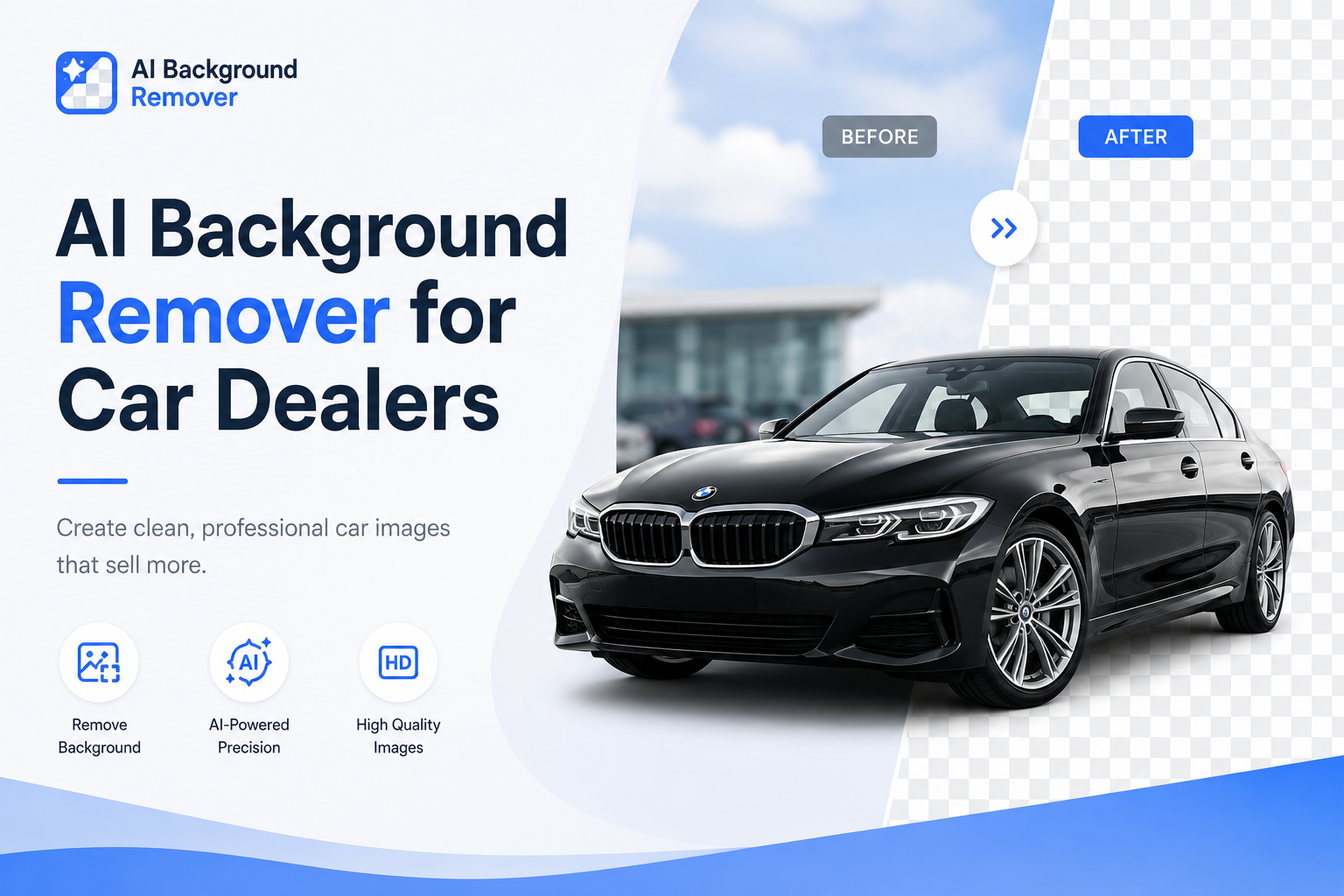
When a buyer scrolls through dozens of car listings in a matter of seconds, the photo is doing all the talking before your description ever gets read. A cluttered driveway, a busy parking lot, or a shadow-heavy garage in the background can quietly push a buyer to the next listing — even if your car is the better deal. That's why more dealerships, auto traders, and private sellers are turning to an AI background remover for car dealers to clean up vehicle photos in seconds instead of hours.
Manually editing car photos in Photoshop used to mean hiring a designer, learning complex tools, or spending an entire afternoon clicking around a vehicle's mirrors and wheels with a pen tool. Today, AI can detect a car, isolate it from its background, and deliver a clean, professional image in the time it takes to upload the file. This guide walks through why dealership photos matter so much, the problems most sellers run into, and exactly how to use AI to fix them — using a free, no-signup tool built for this job.
Why Car Photos Matter More Than You Think
A vehicle listing photo isn't just decoration — it's the first (and sometimes only) impression a buyer forms before deciding whether to click, call, or scroll past.
First impressions happen in under a second. Buyers judge trustworthiness and quality almost instantly based on image cleanliness.
Clean photos build trust. A polished image signals a well-maintained vehicle and a professional seller.
Better photos mean higher click-through rates. On marketplaces like AutoTrader or Facebook Marketplace, the thumbnail image decides whether someone opens the listing at all.
More clicks lead to more enquiries. Every extra click is a chance for a buyer to ask a question or book a viewing.
Professional images support your brand. Dealerships with consistent, high-quality photos look more established than those with mismatched backgrounds and lighting.
Faster sales cycles. Vehicles with better photography tend to sell faster because buyers feel more confident before ever visiting in person.
Key takeaway: Photo quality isn't a cosmetic detail — it's directly tied to how many buyers click, enquire, and ultimately purchase.
Common Problems With Dealership Car Photos
Most dealerships aren't working with professional photography studios. Photos are usually taken on the lot, in a hurry, between customer visits. That leads to a familiar set of problems:
Uneven or distracting backgrounds (fences, other cars, buildings)
Busy parking lots full of visual noise
People accidentally walking into frame
Buildings, signage, or power lines behind the vehicle
Poor or inconsistent lighting between photos
Harsh shadows across the hood or windshield
Messy surroundings like trash bins, cones, or equipment
Different photo styles across the same inventory
Inconsistent branding from one listing to the next
Manual editing that eats up hours every week
Individually, these seem like small issues. Across an entire inventory of 20, 50, or 200 vehicles, they add up to a listing page that looks inconsistent and unpolished — which quietly costs sales.
What Is AI Background Removal (and How Does It Work)?
An AI background remover uses computer vision to automatically recognize the main subject in a photo — in this case, a vehicle — and separate it from everything behind it. Instead of manually tracing around mirrors, wheels, and door handles, the AI model has already been trained to recognize vehicle shapes and edges with high precision.
Here's what happens behind the scenes, in plain terms:
Detection — The AI scans the image and identifies the vehicle as the main subject.
Subject separation — It draws a precise boundary around the car, including tricky areas like wheel wells and side mirrors.
Background removal — Everything outside that boundary is removed, leaving a transparent PNG.
Background replacement (optional) — A new background — a studio backdrop, a gradient, or a branded showroom scene — can be added instantly.
Cloud-based processing — All of this happens on a server, not your computer, so there's no software to install and no Photoshop skills required.
In short: what used to require design software and manual skill now takes a single upload and a few seconds of processing.
Benefits of AI Background Removal for Car Dealers
Professional Listings
Every vehicle photo looks consistent, clean, and ready for a showroom — regardless of where or when it was originally photographed.
Faster Workflow
A batch of vehicle photos that once took hours to edit can be processed in minutes, freeing up staff time for sales instead of image editing.
Save Money
There's no need to pay a designer or photographer for background cleanup on every new vehicle that comes onto the lot.
Consistent Branding
Dealerships can standardize every listing with the same background style, reinforcing brand identity across the website and marketplaces.
Better Marketplace Performance
Clean, professional thumbnails stand out in crowded marketplace grids, improving click-through rates.
More Trust
Buyers are more likely to trust a seller whose photos look intentional and professional rather than rushed.
Higher Sales Potential
Better first impressions translate into more enquiries, more viewings, and ultimately more completed sales.
Faster Inventory Uploads
New stock can go live on the website the same day it arrives, without waiting on a design queue.
Better Social Media Ads
Transparent, clean vehicle images are far easier to drop into ad templates, banners, and social posts.
Better Website Appearance
A dealership website with uniform, professional images simply looks more credible than one with inconsistent lot photos.
Real Use Cases Across the Automotive Industry
AI background removal isn't limited to one type of vehicle or seller. Common use cases include:
Used cars — cleaning up lot photos for daily inventory updates
New cars — creating showroom-quality images for brand-new stock
Luxury vehicles — presenting high-end cars with premium, distraction-free backgrounds
SUVs and trucks — handling larger vehicle shapes with the same precision
Motorcycles — isolating smaller, more detailed vehicle shapes
Commercial vehicles — vans, trucks, and fleet vehicles for B2B listings
Electric vehicles — modern EV listings that benefit from clean, tech-forward presentation
Rental businesses — consistent fleet photos across a rental catalog
Auction listings — neutral backgrounds that keep the focus on the vehicle's condition
Fleet management — standardized imagery across large vehicle databases
Step-by-Step Guide: How to Remove a Car Photo Background
Upload the car photo to the tool.
AI detects the vehicle automatically — no manual selection needed.
Background is removed in seconds, leaving a transparent PNG.
Replace the background (optional) with a studio backdrop or branded scene.
Download the HD image, ready for use anywhere.
Upload it to your dealership website, marketplace listing, or social media post.
That's the entire workflow — no design software, no learning curve, and no waiting on outside help.
Why Use FreeBackgroundRemoverAI
FreeBackgroundRemoverAI was built to make this exact workflow simple for dealerships and sellers who need clean, professional vehicle photos without the cost or complexity of traditional editing software.
Free to use — no subscription required to get started
Fast processing — results in seconds, not minutes
No signup needed — upload and go
AI-powered detection — built to recognize vehicles accurately
HD downloads — images stay sharp for web and print use
Works on desktop and mobile — edit photos from the lot or the office
Beginner-friendly — no design experience required
Secure uploads — your inventory photos stay private
Automatic detection — no manual selection or masking
High-quality results — clean edges, even around mirrors and wheels
Beyond simple background removal, the remove background tool pairs well with a few other tools worth knowing about. If your dealership photos were taken at a distance or with an older camera, the AI image upscaler can sharpen resolution before the photo goes live. If you want to add a branded showroom scene instead of leaving the background transparent, the AI background generator can create one instantly. For lot photos where you want to soften a distracting background rather than remove it entirely, the blur background tool is a quick alternative. And if any of your source images have an old watermark from a previous photographer or platform, the watermark remover can clean that up before you republish.
Tips for Better Car Photos Before You Even Start Editing
AI can clean up a background, but a good source photo still makes the final result better:
Clean the car before photographing it
Use natural lighting, ideally early morning or late afternoon
Capture multiple angles: front, side, rear, and interior
Avoid reflections on glass and paint where possible
Keep the camera steady to avoid blur
Use high-resolution images whenever possible
Take photos in open, uncluttered areas
Maintain consistent framing across your entire inventory
Common Mistakes to Avoid
Uploading low-resolution images that lose detail after editing
Cropping part of the vehicle out of frame
Shooting in busy, cluttered backgrounds when it can be avoided
Photographing in dark or poorly lit conditions
Over-editing to the point the car looks unrealistic
Adding backgrounds that don't match the vehicle's context
Ignoring shadows that make the final image look unnatural
Poor composition that doesn't showcase the vehicle's best angle
Frequently Asked Questions
What is an AI background remover for car dealers? It's a tool that uses artificial intelligence to automatically detect a vehicle in a photo and remove everything behind it, producing a clean, transparent image ready for listings, ads, or websites — without manual editing.
Can AI remove backgrounds from vehicle photos accurately? Yes. Modern AI models are trained specifically to recognize vehicle shapes, including tricky details like side mirrors, wheels, and antennas, producing clean edges in most standard photos.
Is AI background removal better than Photoshop? For speed and ease of use, yes. AI handles detection and removal automatically in seconds, while Photoshop requires manual selection tools and design experience. Photoshop still offers more granular manual control for complex edits.
Does it work on mobile devices? Yes. Most AI background removal tools, including FreeBackgroundRemoverAI, work directly in a mobile browser without needing an app.
Can I replace the background instead of just removing it? Yes. After the background is removed, you can add a new one — a studio backdrop, gradient, or branded showroom scene — using a background generator tool.
Will image quality decrease after editing? No, as long as you upload a high-resolution source image. Quality AI tools preserve detail and can even output HD downloads.
Can I edit multiple car photos at once? Most tools process one image at a time through the browser, but the speed per image makes editing a full inventory manageable within a short session.
Is this free to use? FreeBackgroundRemoverAI offers free background removal with no signup required to get started.
Does it support PNG downloads? Yes. Removing a background typically produces a transparent PNG file, which is ideal for placing the vehicle on any new background later.
Can I use this for my dealership website? Yes. Clean, background-free or professionally styled vehicle images work well for website inventory pages, banners, and featured listings.
Does it work for motorcycles too? Yes. AI detection works on motorcycles and other smaller vehicle shapes, not just cars, trucks, and SUVs.
Can I use this for Facebook Marketplace listings? Yes. Clean vehicle photos tend to perform better in marketplace feeds, where a cluttered background can make a listing look less trustworthy.
Can I use this for AutoTrader listings? Yes. AutoTrader and similar platforms benefit from consistent, professional images that stand out in search results and grid views.
How accurate is the AI at detecting vehicle edges? Very accurate for most standard photos, including detailed areas like mirrors and wheel wells. Extremely low-resolution or heavily obstructed photos may need a manual touch-up.
What file formats are supported? Most tools accept common formats like JPG and PNG for upload, and output a transparent PNG after background removal.
Final Thoughts
Vehicle photos are one of the few things every buyer looks at before deciding whether your listing is worth a second glance. Cleaning up backgrounds used to mean hours of manual editing or an outside design cost — now it takes seconds with the right AI tool. Dealerships that invest a small amount of time into cleaner, more consistent inventory photos tend to see the payoff in more clicks, more enquiries, and faster sales.
If your current listings are held back by messy lot photos, inconsistent backgrounds, or time spent editing manually, it's worth trying an AI background remover for car dealers built specifically for this kind of workflow. Head over to FreeBackgroundRemoverAI and upload your first photo — no signup, no cost, and no design skills required to get a professional result.
Share this guide with your team