How to Remove Background from Makeup Products (Free AI Guide)
If you sell lipsticks, foundations, serums, or perfume online, your product photo is doing more selling than your description ever will. A cluttered or shadowy background quietly tells shoppers "this listing isn't quite trustworthy" — even when the product itself is great. That's why more beauty brands, Amazon sellers, and Shopify merchants are learning how to remove background from makeup products in just a few clicks using AI, instead of spending hours in Photoshop.
This guide walks through exactly how it works, why it matters for conversions, and how to turn any makeup photo into a clean, professional, marketplace-ready image — free, and without design experience.
What Does It Mean to Remove Background from Makeup Products?
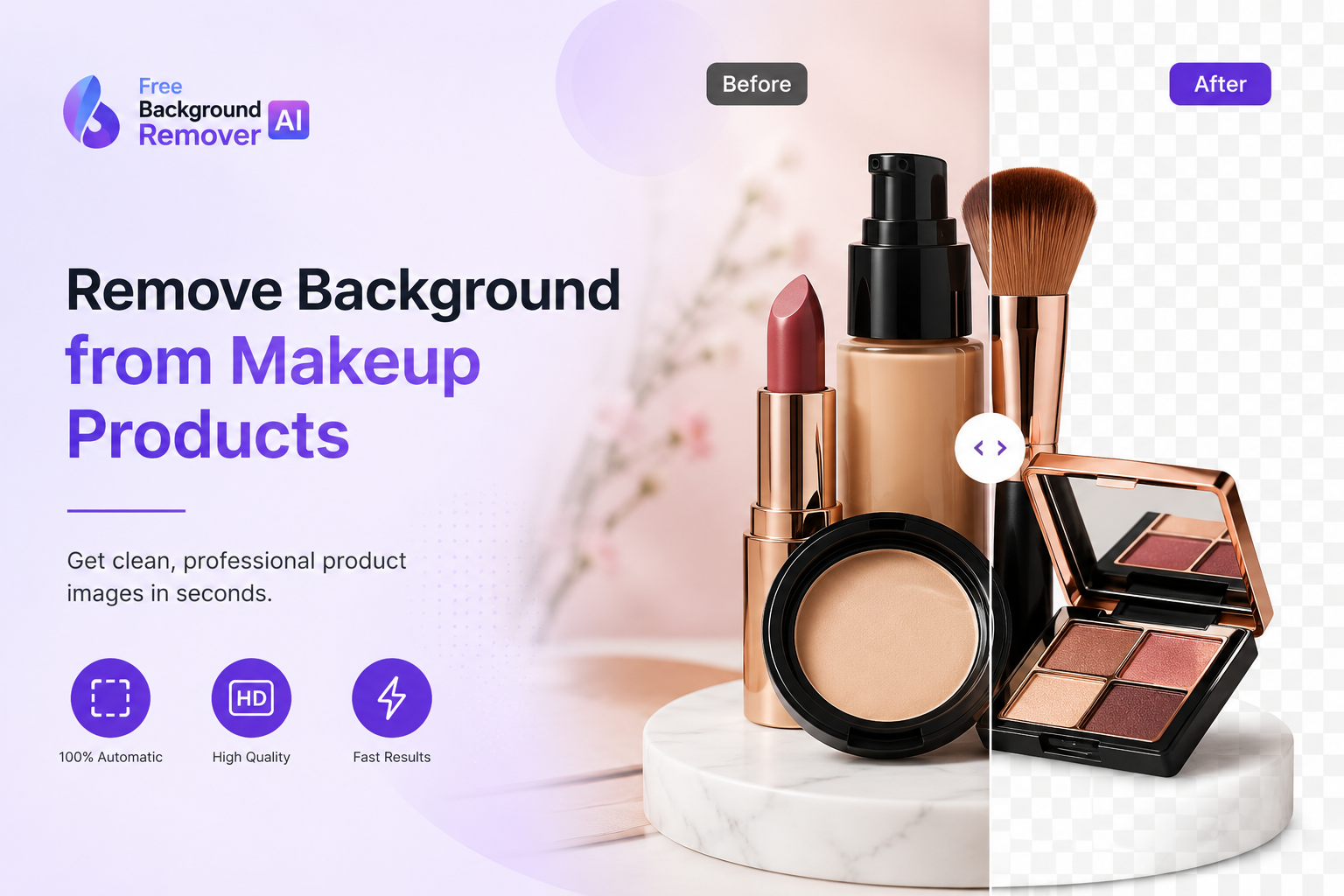
Removing the background from a makeup product photo means isolating the item — a lipstick tube, a serum bottle, a compact powder — from whatever was behind it when the photo was taken, so only the product remains. The result is usually saved as a transparent PNG, which can then be placed on a plain white background for Amazon, a branded color for a Shopify page, or a lifestyle scene for social media.
In the past, this required a skilled photo editor working in Photoshop, carefully tracing around every curve, cap, and reflective surface. Today, an AI makeup background remover does this automatically: it recognizes the product's edges, separates it from the background, and hands back a clean, transparent image — usually in under 10 seconds.
<a id="why-beauty-brands-need-it"></a>
Why Beauty Brands Need Clean Product Photos
Cosmetic products are visually driven purchases. Shoppers judge quality, luxury, and trustworthiness almost entirely from the photo before they read a single word of the description. A few realities make clean backgrounds non-negotiable for beauty brands:
Marketplace rules require it. Amazon's main product image policy requires a pure white background for most categories — a busy or colored background can get a listing suppressed.
Consistency builds trust. A catalog where every lipstick or serum sits on the same clean background looks like a real brand, not a reseller.
Color accuracy matters more in beauty. Shoppers need to see the true shade of a lipstick or foundation without a distracting background pulling focus or affecting perceived color.
Reusability. A transparent PNG can be dropped into Amazon listings, Shopify product pages, Instagram ads, and print catalogs — one image, endless placements.
<a id="benefits-of-ai"></a>
Benefits of AI Background Removal
AI-based background removal isn't just faster than manual editing — it changes what's realistically possible for a small brand or solo seller:
No design skills or Photoshop license required
Processes in seconds instead of minutes per image
Handles reflective and glass surfaces (perfume bottles, glossy tubes) that are notoriously hard to mask by hand
Produces consistent, marketplace-compliant results across an entire catalog
Free or low-cost compared to hiring a photo editor for every new SKU
Easy to batch-process product lines ahead of a launch
<a id="how-ai-detects"></a>
How AI Detects Cosmetic Products
Modern background removal tools use image segmentation models trained to recognize object edges, even on tricky surfaces like glass, metallic caps, and glossy plastic — all common in cosmetic packaging. The AI analyzes contrast, shape, and depth cues in the photo, draws a precise boundary around the product, and removes everything outside that boundary. Because these models are trained on millions of product photos, they handle fine details like brush bristles, transparent lids, and thin lipstick bullets far more reliably than older "one-click" tools that struggled with anything that wasn't a solid, matte object.
<a id="traditional-editing"></a>
Why Traditional Editing Takes Longer
Manually removing a background in Photoshop typically involves the pen tool, layer masks, and a lot of zooming in to clean up edges pixel by pixel — especially around reflective glass or fine details like eyeliner tips. A single image can take 10–20 minutes for an experienced editor, and mistakes around curved or transparent surfaces are common. When a brand has 50, 200, or 1,000 SKUs, that time adds up into days of editing work — which is exactly the bottleneck AI background removal is designed to remove.
<a id="step-by-step-guide"></a>
Step-by-Step Guide: How to Remove Background from Makeup Product Photos
Step 1 — Upload your makeup image Upload a photo of your lipstick, foundation, serum, or any cosmetic product to the free background remover.
Step 2 — AI detects the product The tool automatically scans the image and identifies the exact edges of the product, including caps, labels, and reflective surfaces.
Step 3 — Background removed automatically Within seconds, the background is stripped away, leaving a clean, transparent PNG of just the product.
Step 4 — Download your transparent PNG Download the high-resolution, transparent image, ready to use anywhere.
Step 5 — Replace with white, color, or lifestyle background Add a pure white background for Amazon compliance, a branded color for Shopify, or a styled scene for social media — using the background generator tool.
If your original photo also needs sharpening or has an unwanted logo or watermark, you can run it through the image enhancer or watermark remover before or after removing the background.
<a id="best-use-cases"></a>
Best Use Cases
An AI makeup background remover works across virtually every cosmetic and beauty category, including:
Lipsticks and lip glosses
Foundations and concealers
Perfumes and fragrances
Face creams and moisturizers
Serums and oils
Mascara and eyeliners
Compact powders
Makeup palettes
Makeup brushes and applicators
Beauty gift kits and bundles
Nail polish
Beauty accessories and packaging
<a id="who-should-use-it"></a>
Who Should Use It
Beauty and cosmetic brands
Shopify store owners
Amazon sellers
Daraz sellers
Etsy shop owners
Cosmetic manufacturers and private-label brands
Marketing and creative agencies
Social media managers
Product photographers
Beauty influencers and content creators
<a id="common-problems"></a>
Common Problems with Makeup Product Photography
Most sellers run into the same handful of photo issues before editing:
Busy or cluttered backgrounds
Poor or uneven lighting
Messy studio setups
Harsh shadows around the product
Inaccurate or shifted colors
Low-resolution source images
Distracting background objects
Inconsistent images across a product catalog
An AI background remover solves the background-related issues instantly; for lighting or resolution problems, pairing it with an image upscaler or enhancer closes the gap.
<a id="key-benefits"></a>
Key Benefits at a Glance
Professional, polished appearance
Higher conversion rates on product pages
Better click-through rates in search and ads
Cleaner, more consistent branding
Marketplace compliance (Amazon, Etsy, Daraz)
Faster turnaround per image
Time and cost savings vs. hiring an editor
No Photoshop or design skills needed
High-resolution downloads
Full transparent PNG support
<a id="comparison-table"></a>
Image SEO Best Practices for Makeup Product Photos
Once your background is removed, name and tag the image properly so it can also drive organic traffic:
Filename:
remove-background-lipstick-product-photo.pngAlt Text: "Transparent PNG of red lipstick with background removed"
Title: "Lipstick Product Photo – Background Removed"
Caption: "Clean, transparent lipstick image ready for Amazon and Shopify listings"
Description: "High-resolution lipstick product photo with background removed using AI, optimized for eCommerce listings"
Keep filenames and alt text descriptive and specific to the product — avoid generic names like "image1.png," which give search engines nothing to work with.
<a id="faqs"></a>
Frequently Asked Questions
How can I remove background from makeup products? Upload your photo to an AI background remover, let it automatically detect the product, and download the transparent PNG. The whole process takes seconds and requires no editing software.
Is AI better than Photoshop for this? For speed and consistency, yes. AI handles reflective and detailed cosmetic packaging in seconds, while Photoshop can take 10–20 minutes per image and depends heavily on the editor's skill.
Can I make transparent PNG images for my products? Yes. AI background removal tools export images as transparent PNGs by default, so you can place the product on any background afterward.
Can I change the background colour after removing it? Yes. Once the background is removed, you can add a white, branded, or custom-colored background using a background generator tool.
Does it work with perfume bottles and glass packaging? Yes. Modern AI models are trained to detect edges on reflective and transparent surfaces like glass perfume bottles, which are historically difficult to mask manually.
Can I edit skincare product images the same way? Yes. Serums, creams, and oils work with the same process as makeup products — the AI detects the container and removes the background automatically.
Can it remove shadows as well as the background? Most tools remove the background cleanly and reduce harsh shadows in the process, though very heavy or uneven shadows may need a quick manual touch-up.
Is the background remover free to use? Yes, a free background remover is available for makeup and cosmetic product photos with no design experience required.
Does background removal reduce image quality? No, when using a high-quality AI tool, the product itself keeps its original resolution — only the background is removed.
Can I use this for Amazon product listings? Yes. Amazon requires a pure white background for most main product images, and a transparent PNG makes it easy to meet that requirement instantly.
<a id="conclusion"></a>
Conclusion
Clean, consistent product photography is one of the simplest ways to make a beauty brand look more professional and trustworthy — and it no longer requires Photoshop skills or hours of manual editing. With a free AI background remover, you can turn any makeup, skincare, or fragrance photo into a polished, transparent PNG in seconds, ready for Amazon, Shopify, Etsy, or social media.
Try it now: upload your first makeup product photo to Free Background Remover AI and see the difference a clean background makes on your listings.
Share this guide with your team