AI Background Generator for Ecommerce Product Photos Create Professional Product Images with AI
A professional product image can make the difference between a shopper scrolling past your product and clicking to learn more.
For ecommerce businesses, product photography does not always need an expensive studio, professional photographer, or complicated editing software. With an AI background generator for ecommerce, you can transform ordinary product photos into clean, professional-looking images with backgrounds that match your store, marketplace, or brand.
Whether you sell on Etsy, Shopify, Amazon, your own ecommerce website, or social media, a clean product background helps your products stand out and makes your online store look more consistent.
In this guide, you'll learn how to use AI to generate and replace ecommerce product backgrounds, improve product presentation, prepare images for marketplaces, and create better-looking product photos without spending hours editing them manually.
What Is an AI Background Generator for Ecommerce?
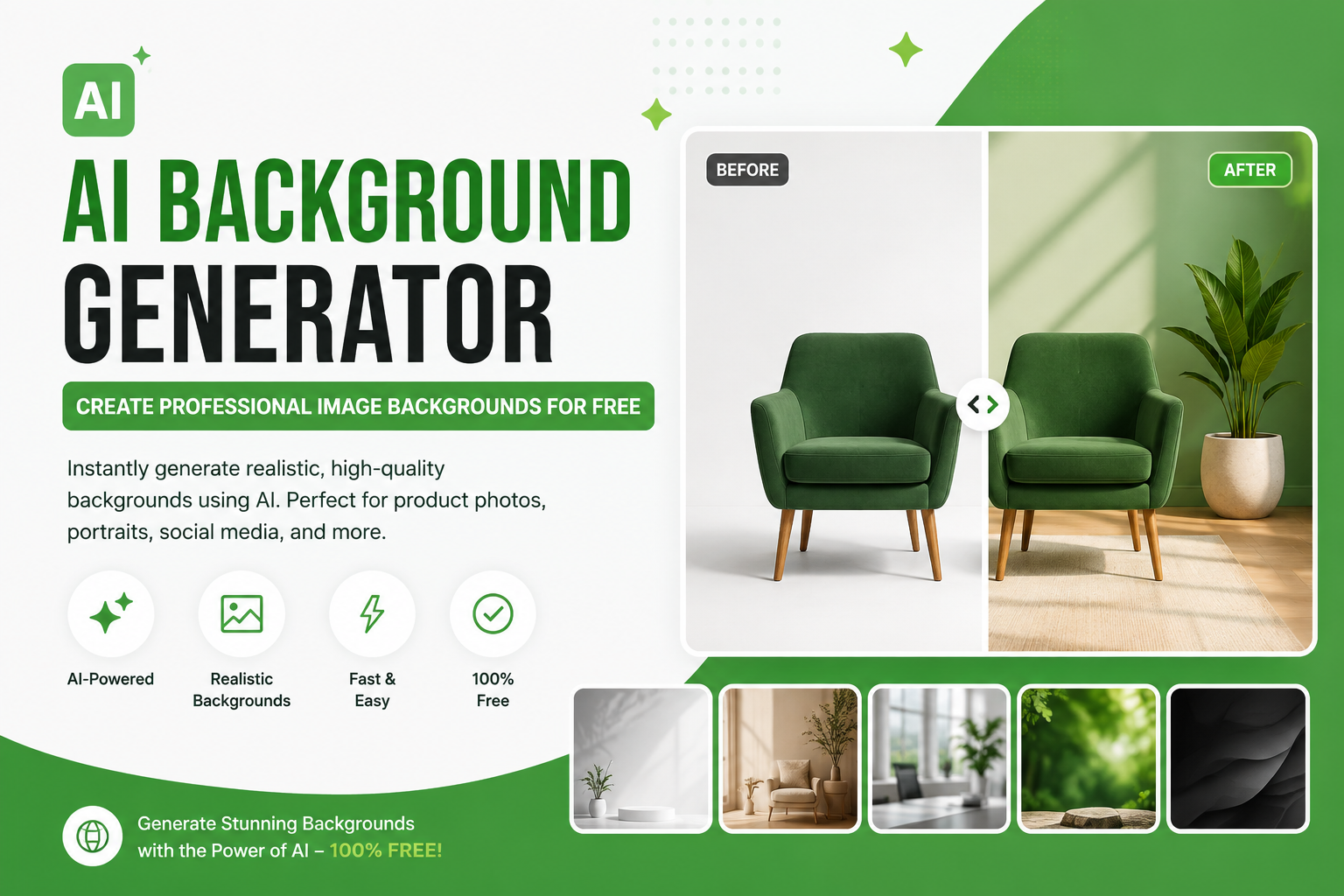
An AI background generator for ecommerce is an image editing tool that uses artificial intelligence to create, replace, or improve the background behind a product.
Instead of manually selecting the product with complicated editing software, you can upload a product photo and let AI help isolate the subject and create a new background.
For example, you could turn a basic product photo taken on a table into:
A clean white ecommerce background
A soft studio background
A luxury product setting
A minimalist branded background
A seasonal promotional scene
A lifestyle environment
A realistic marketplace-ready product image
This is particularly useful for small businesses and online sellers who need professional product images but don't have access to a photography studio.
Why Ecommerce Product Backgrounds Matter
Your product image is often one of the first things a potential customer sees.
A cluttered background can distract shoppers from the product. A clean and carefully designed background does the opposite: it keeps attention on the item and creates a more professional visual experience.
1. Make Products Stand Out
A simple background separates the product from its surroundings.
When customers can immediately see the shape, color, texture, and important details of your product, they can understand what you're selling faster.
2. Create a Professional Store
Consistent product photography makes an ecommerce store look more established.
If every product has a different background, lighting style, and composition, your website can feel inconsistent. Using a similar background style across your catalog creates a stronger visual identity.
3. Improve Product Presentation
AI background editing can turn an ordinary product photo into a polished marketing image.
You can remove distracting objects, isolate the product, and create a background that fits the product's purpose.
4. Save Photography Costs
Traditional product photography may require:
Studio equipment
Lighting
Backdrops
Props
Photographers
Editing software
An AI background generator can reduce the amount of manual work required for many ecommerce images.
5. Create Images Faster
If you have hundreds of products, editing every image manually can take a significant amount of time.
AI-powered background tools can make repetitive image preparation much faster.
How to Generate an Ecommerce Product Background with AI
Creating a professional ecommerce background doesn't have to be complicated.
Step 1: Choose a Clear Product Photo
Start with the best product photo you have.
Use a sharp image where the product is clearly visible. Avoid extremely blurry or heavily compressed photos because background generation cannot completely recover missing product details.
For best results, photograph the product with reasonable lighting and enough space around it.
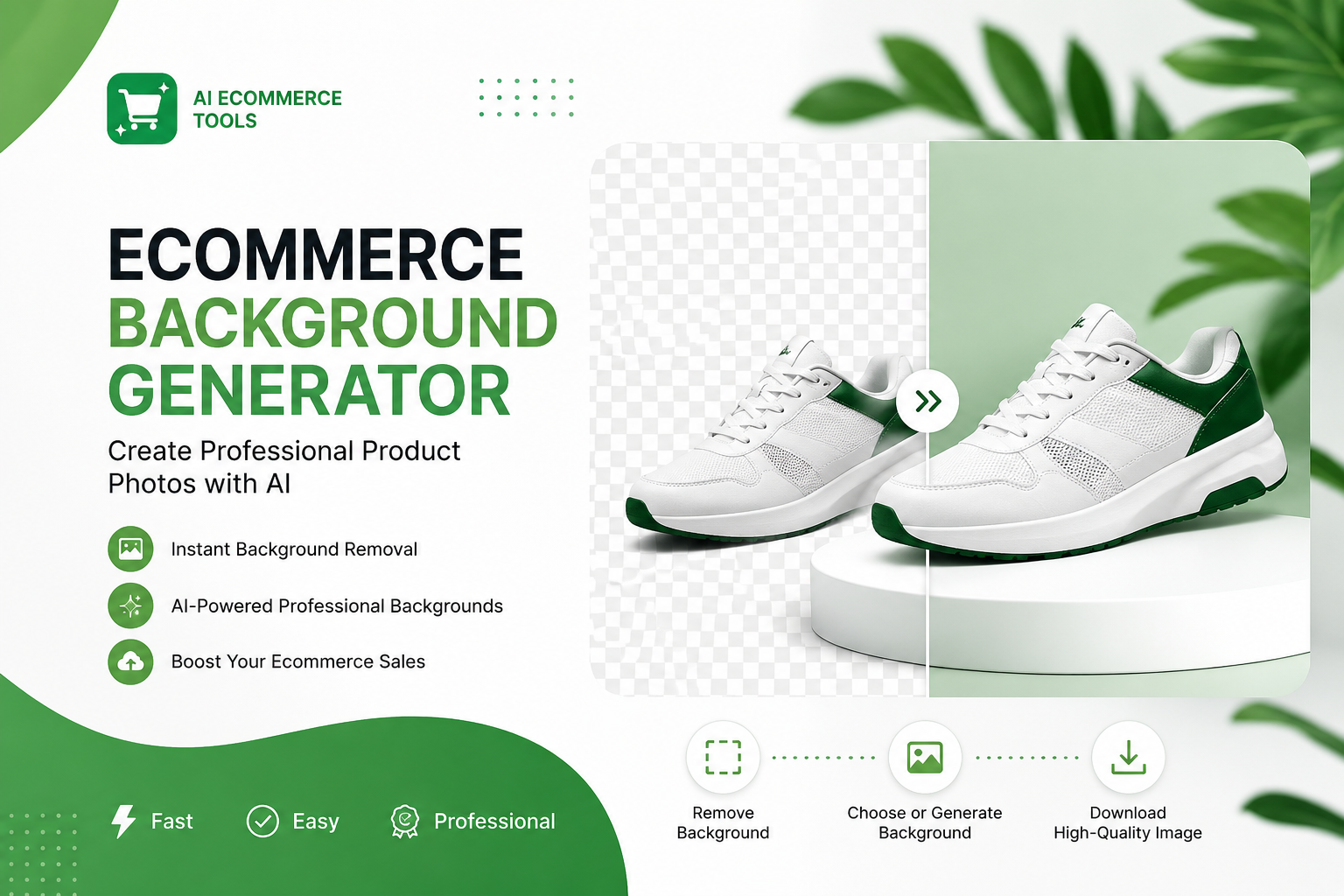
Step 2: Remove the Existing Background
If your original photo contains a messy room, table, wall, or other distractions, remove the background first.
You can use the AI Background Remover to isolate the product and create a clean cutout.
This gives you a better starting point for generating a new ecommerce background.
Step 3: Generate a New Background
Upload the isolated product and choose the type of background you want.
For example, you might want:
Minimal white studio
Clean white ecommerce studio background with soft natural shadow and professional product lighting.
Luxury
Premium luxury studio background with elegant neutral surfaces, soft lighting, subtle shadows, and a high-end commercial photography look.
Minimalist
Minimal modern ecommerce background with a clean neutral surface, soft shadows, subtle lighting, and plenty of negative space.
Lifestyle
Modern lifestyle setting with natural lighting, realistic shadows, premium interior styling, and the product as the main focal point.
The exact prompt should depend on your product, target audience, and brand identity.
Step 4: Check Product Accuracy
Always inspect the generated result carefully.
Make sure:
The product shape has not changed
Logos remain accurate
Product colors look natural
Text and labels are correct
Important details are visible
Shadows look realistic
The product does not appear to float
The background does not overpower the product
For ecommerce, accuracy matters more than making an image look dramatic.
Step 5: Enhance the Final Image
If the original image is slightly soft or low-resolution, you can improve it after generating the background.
Use the AI Image Enhancer to improve clarity and the AI Image Upscaler when you need a larger image.
This is especially useful when preparing product images for large displays or high-resolution marketplace requirements.
Best Ecommerce Background Ideas
Different products work better with different background styles.
White Background
White is one of the safest choices for ecommerce product photography.
It creates a clean appearance and keeps attention on the product.
White backgrounds work particularly well for:
Electronics
Jewelry
Cosmetics
Clothing
Accessories
Small household products
Handmade products
Neutral Background
A beige, light gray, cream, or other neutral background can make your images feel more premium without distracting from the product.
Soft Studio Background
A professional studio environment with subtle lighting and a soft shadow can make an ordinary product photograph look more polished.
Lifestyle Background
Lifestyle backgrounds show the product in a realistic environment.
For example:
A coffee mug on a kitchen counter
A sofa in a modern living room
Skincare products in a bathroom
Jewelry displayed on an elegant surface
Electronics on a modern desk
Lifestyle backgrounds can help shoppers imagine how the product fits into their own lives.
Branded Background
You can also create a background that matches your ecommerce brand.
Use your brand's:
Colors
Materials
Visual style
Lighting
Typography
Overall aesthetic
The goal is not to make the background more noticeable than the product. The product should remain the hero.
How to Create Consistent Product Images for an Online Store
Consistency is one of the most important parts of ecommerce image design.
Imagine visiting a store where one product has a white background, another has a dark studio background, another has a bedroom behind it, and another was photographed outdoors.
The products may be good, but the store can feel visually disconnected.
Instead, create a repeatable image style.
For example:
Background: Light neutral studio
Lighting: Soft and natural
Shadow: Subtle
Product position: Centered
Image ratio: Consistent
Colors: Brand-aligned
Composition: Clean with enough negative space
Once you establish this style, you can apply it across your product catalog.
AI Backgrounds for Etsy Product Photos
Etsy is highly visual, so product photography plays an important role in helping shoppers understand and evaluate products.
Etsy currently recommends listing images with a width and height of 2000 pixels or more, while the first listing image should be at least 635 pixels to avoid appearing lower in search. Etsy also recommends keeping the main subject clear and using high-resolution images.
Etsy currently allows sellers to add up to 20 photos and 2 short videos to a listing.
That gives sellers plenty of opportunities to show:
The main product
Different angles
Close-up details
Product variations
Lifestyle images
Scale references
Packaging
Product usage
However, AI editing should not be used to misrepresent the actual product. Etsy requires sellers to use original photos of the actual products, subject to its stated exceptions.
A good approach is to use AI to clean up or replace the background while keeping the actual product accurately represented.
How to Improve Etsy Product Images
If your Etsy product photos look inconsistent, you can improve them with a simple workflow.
Start with the Actual Product
Take a clear photo of the product you are selling.
Remove Distractions
Use an AI Background Remover to remove unwanted objects and background clutter.
Create a Clean Background
Generate a simple background that keeps the product as the main focus.
Check the Thumbnail
Etsy uses thumbnails in different parts of its marketplace, so make sure the important part of your product remains visible after cropping. Etsy specifically recommends positioning the product so it remains clear across different thumbnail views.
Improve Image Quality
If your original image is soft, use an AI Image Enhancer or AI Image Upscaler before uploading.
Ecommerce Background Ideas by Product Type
Clothing
Try:
Minimal studio
Fashion showroom
Modern bedroom
Neutral wall
Premium lifestyle setting
Jewelry
Try:
Elegant marble
Luxury studio
Soft beige
Velvet-inspired environment
Minimal premium surface
Cosmetics
Try:
Clean bathroom
Beauty studio
Marble surface
Soft pastel environment
Luxury vanity
Electronics
Try:
Modern desk
Minimal technology studio
Dark premium environment
Clean white background
Contemporary office
Food Products
Try:
Kitchen counter
Rustic table
Restaurant-style setting
Bright studio
Natural ingredient environment
Home Decor
Try:
Modern living room
Scandinavian interior
Minimal studio
Neutral wall
Lifestyle home environment
Common Ecommerce Background Mistakes
AI can make image editing faster, but poor prompts or poor source images can still produce bad results.
Using Too Much Detail
A complicated background can distract from the product.
Keep the environment simple when the product itself needs to be the main focus.
Using Unrealistic Shadows
The product should appear naturally placed in the scene.
A floating product or an overly dark shadow can make the image look artificial.
Changing the Product
AI should not accidentally change important product characteristics.
Always compare the generated image with the original.
Using Different Styles Across Your Store
A beautiful individual image may still look wrong if it doesn't match the rest of your catalog.
Create a consistent visual system.
Starting with a Very Low-Quality Image
AI can improve an image, but it works best when the original product photo already contains enough detail.
Whenever possible, start with the highest quality original image available.
AI Ecommerce Product Photography Workflow
A simple workflow can look like this:
Original product photo → Background removal → AI background generation → Image enhancement → Upscaling → Final ecommerce image
This workflow can help you create consistent product images without rebuilding your entire photography setup.
You can start by removing the original background with Free Background Remover AI, generate a more suitable ecommerce environment, and then improve the final image with AI enhancement tools.
If you want to explore more image editing techniques, visit the Free Background Remover AI blog for additional guides.
Why Use AI for Ecommerce Product Images?
AI background generation is particularly useful when you need many variations of the same product image.
For example, a single product could be presented as:
Clean white marketplace image
Premium studio image
Lifestyle image
Seasonal promotional image
Branded website image
Social media marketing image
Instead of photographing the product in six different environments, AI can help create different visual presentations from the same original product photo.
This can save time while giving your marketing team more creative flexibility.
How to Write Better AI Background Prompts
The quality of an AI-generated background depends heavily on the instructions you provide.
A useful prompt can describe:
Environment
Lighting
Surface
Materials
Mood
Camera style
Shadow
Composition
Brand aesthetic
For example:
Create a clean premium ecommerce studio background for a skincare product. Use a soft beige surface, natural diffused lighting, subtle realistic shadows, minimal styling, plenty of negative space, and a luxury commercial photography aesthetic. Keep the product as the main focal point.
For a technology product:
Create a modern minimalist ecommerce background for a wireless electronic device. Use a clean contemporary desk environment, soft studio lighting, subtle shadows, neutral colors, realistic reflections, and a premium commercial product photography style.
The best prompt is one that supports the product rather than competing with it.
Frequently Asked Questions
What is an AI background generator for ecommerce?
An AI background generator for ecommerce uses artificial intelligence to create, replace, or improve the background of a product image. It can help sellers create cleaner product photos without manually designing every background.
Can AI generate backgrounds for product photos?
Yes. AI tools can create different background styles around an existing product image, including studio, lifestyle, minimalist, luxury, seasonal, and branded environments.
What is the best background for ecommerce product photos?
A clean white or neutral background is a strong choice when the product needs to be the primary focus. Lifestyle or branded backgrounds can be useful for secondary marketing images.
Can I use AI backgrounds for Etsy products?
AI can be used as part of an editing workflow, but Etsy requires sellers to accurately represent their products and generally requires original photos of the actual product, subject to its listed exceptions. Always make sure your edited image does not misrepresent what buyers will receive.
What size should Etsy product photos be?
Etsy currently recommends listing images with a width and height of at least 2000 pixels. The first listing photo should be at least 635 pixels wide and high to avoid appearing lower in searches.
How many photos can I add to an Etsy listing?
Etsy's current listing creation guidance says sellers can add up to 20 photos and 2 videos to a listing.
Can AI remove the background from product photos?
Yes. AI background removal can automatically isolate a product from its original background, making it easier to place the product on a new ecommerce background.
Can I improve a blurry product photo with AI?
AI enhancement and upscaling can improve the appearance of some low quality images, but starting with a sharp, high-resolution original is always preferable.
Should every product have the same background?
Not necessarily. However, maintaining a consistent photography style, lighting approach, framing, and color palette can make an ecommerce store look more professional.
Can I use AI-generated backgrounds for Shopify product images?
Yes, AI background editing can be useful for creating polished product images for Shopify stores, provided the final image accurately represents the product being sold.
Final Thoughts
Great ecommerce photography does not always require an expensive studio.
With the right original product photo and an AI background generator for ecommerce, you can remove distracting backgrounds, create professional environments, improve image quality, and produce more consistent product visuals.
The most important principle is simple: keep the product accurate and make the background support it.
Start with a clear product photo, remove unnecessary distractions, generate a clean background, check the final result carefully, and enhance the image when necessary.
For ecommerce sellers who need a fast way to prepare product images, tools such as AI Background Remover, AI Image Enhancer, and AI Image Upscaler can become useful parts of a repeatable product photography workflow.
Explore more image editing guides on the Free Background Remover AI blog and build a faster, cleaner product image workflow for your online store.
Share this guide with your team